

Laptops intended for coursework and daily office tasks endure far harsher physical treatment than stationary desktop computers. Users slide machines into crowded bags, carry them by screen corners between meeting rooms, and plug power cables into loose wall sockets multiple times a day. Such frequent environmental changes expose underlying engineering weaknesses rapidly.
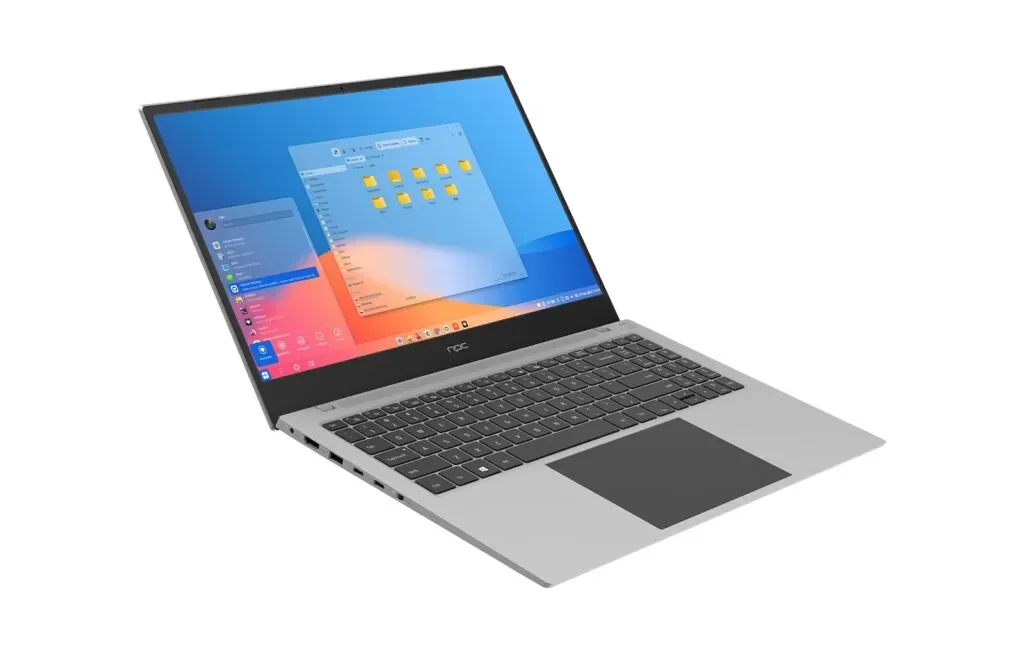
Headline clock speeds and memory figures printed on retail boxes rarely predict how a device holds up over semesters of continuous typing and transit. Long-term reliability depends instead on mechanical reinforcement, balanced thermal dissipation, stable electrical power delivery, and resilient input mechanisms. Examining these physical foundations shows how a laptop maintains steady performance throughout demanding daily routines.
Structural Resistance Against Mobile Transit and Bag Compression
Daily commutes subject portable computers to uneven pressure from textbooks, heavy chargers, and crowded public transport seating. Thin plastic chassis lack the torsional rigidity needed to isolate interior electronics, allowing external compression forces to flex internal printed circuit boards. Over time, that structural flexing loosens delicate microchip solder joints, causing intermittent boot failures and system freeze-ups.
Reinforced A-cover panels built with aluminum-magnesium alloys or structural composites protect liquid crystal displays from localized pressure damage. Without a rigid lid, direct pressure creates bright white pressure spots, cracks glass substrates, and produces distracting corner backlight bleed. Stiff chassis walls absorb external shocks, keeping internal solid-state storage and memory modules securely seated inside their sockets.
Torque-balanced hinge assemblies represent another crucial structural defense against everyday wear. Substandard hinges mounted into fragile plastic standoffs often crack their anchor points after a year of continuous open-and-close cycles. Hardened alloy hinge brackets bolted straight into metal chassis frames distribute rotational resistance evenly, keeping the screen stable during typing without developing loose display wobble.
Sustained Core Voltages and Battery Cell Chemistry
Unstable electrical currents from shared classroom power strips or aging coffee shop outlets threaten sensitive processing silicon. Multi-phase voltage regulator modules on the motherboard smooth out incoming voltage spikes, feeding clean, steady current to the processor. Reliable power filtering prevents unexpected blue-screen crashes, component degradation, and sudden restarts while students complete timed online examinations.
Lithium-polymer cells degrade predictably when managed by intelligent charge-control firmware. Cheap battery packs charged continuously at high temperatures swell rapidly, warping trackpads and cutting untethered runtime to under an hour. Advanced battery controllers throttle incoming wattage as cells approach full charge, limiting heat buildup and preserving usable discharge capacity across hundreds of classroom lectures and study sessions.
Evaluating how power circuitry protects hardware helps buyers distinguish the most reliable laptop manufacturer from brands focusing solely on superficial styling. Electrostatic discharge protection diodes placed along external Universal Serial Bus lines ground dangerous static shocks from nylon carpets. Well-shielded power distribution keeps core electronics operating steadily even under unpredictable charging conditions.
Thermal Dissipation Without Aggressive Fan Whine
Library quiet zones and collaborative office spaces require cooling systems that exhaust processor heat without emitting distracting noise. Poorly ventilated enclosures force small cooling fans to spin at high revolutions per minute, creating irritating high-pitched whines during routine video conferences. Quiet operation requires an optimized balance between passive heat conduction and airflow dynamics.
Composite copper heat pipes transfer thermal energy away from processing dies before heat pools inside the enclosure. Sintered copper wicks circulate internal fluid efficiently, moving thermal loads toward dense radiator fin arrays positioned near chassis exhaust vents. Separating CPU heat traces from auxiliary components prevents hot spots from building up beneath the keyboard deck and palm rests.
Phase-change thermal compounds maintain effective heat conduction between processor dies and copper cold plates over multi-year ownership cycles. Ordinary thermal greases tend to dry out and pump out during repetitive thermal cycles, causing sudden temperature spikes and clock throttling. Stable thermal interface materials preserve sustained multi-core performance so applications launch quickly and render smoothly without lag.
Contact Point Durability Across Keyboards, Ports, and Hinges
Constant essay drafting, spreadsheet navigation, and messaging demand keyboards engineered for tactile consistency. Scissor-switch mechanisms under keycaps provide even resistance across key surfaces, preventing stuck keys, loose caps, or double-strike errors. A sealed membrane layer beneath the switch matrix acts as a barrier, shielding motherboard components from accidental coffee splashes and airborne classroom dust.
Surface-mounted connection jacks endure substantial mechanical strain from repeated cable insertion and accidental cord pulls. Quality laptop designs reinforce Universal Serial Bus Type-C and multimedia ports with soldered metal brackets anchored to the inner frame. This added reinforcement prevents port pins from lifting off motherboard traces when users bump connected peripheral cables while walking past lecture desks.
Anti-glare display coatings soften harsh overhead fluorescent lighting and sunlight reflections, protecting eyes during lengthy study periods. Pairing matte panel treatments with certified direct-current backlight dimming eliminates high-frequency illumination flicker that induces headaches during late-night assignment revisions. Consistent optical clarity allows users to read small text and detailed technical schematics comfortably for hours.
Hardware Longevity Realized Through Direct Manufacturing
Choosing hardware for enterprise fleets or student bodies requires partnering with the most reliable laptop manufacturer capable of validating structural resilience before shipment. Dependability emerges from rigorous engineering choices: multi-layer motherboards, reinforced chassis anchors, quiet thermal systems, and quality display panels. Devices engineered around these fundamentals survive daily travel while maintaining consistent computing throughput.
Operating our own display fabrication and SMT assembly lines allows us at NPC to build mobile computers specifically for demanding institutional environments. Rather than assembling off-the-shelf surplus parts, NPC controls panel binning, chassis mold tooling, and multi-hour high-temperature stress screening directly. This vertical integration keeps hardware failure rates low and gives our commercial clients predictable performance across large-scale deployments.
Discuss your upcoming student or commercial hardware deployment with our team at NPC to review detailed chassis schematics, request evaluation units, and configure dependable systems tailored to your organization’s daily operational workload.