

Striking a viable equilibrium between physical portability and reliable processing throughput remains one of personal computing’s primary engineering challenges. Users require machines that slide easily into carry bags without creating shoulder strain during daily travel.
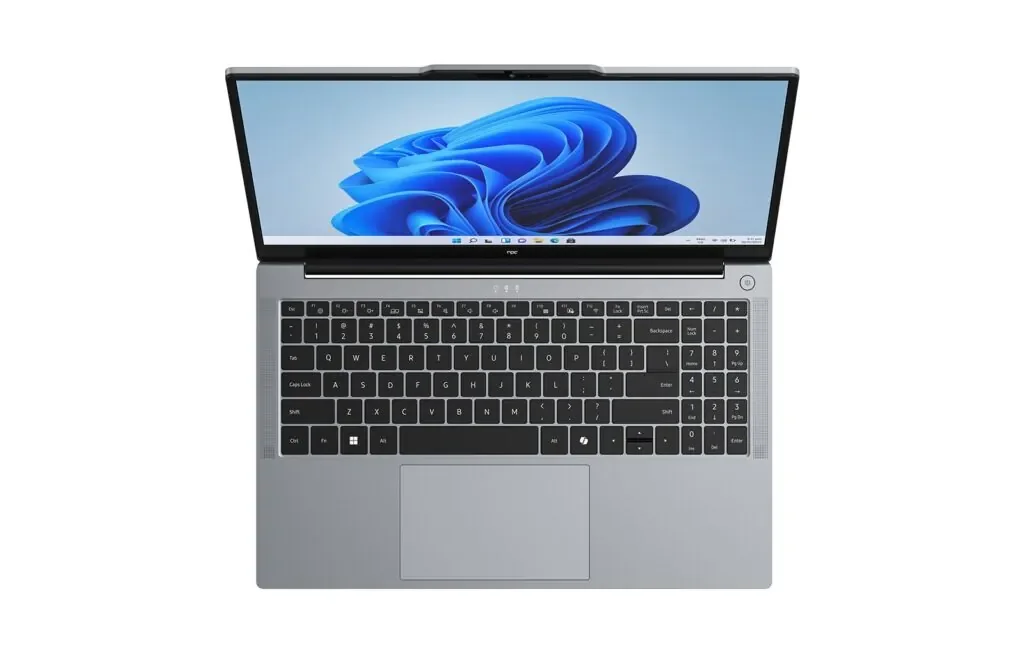
Early attempts at slimming down mobile PCs frequently compromised everyday usability, producing flimsy frames, noisy cooling fans, and disappointing battery runtimes. Modern mechanical layouts resolve these compromises by refining chassis structures and internal routing.
Today, choosing a slim and lightweight laptop no longer forces professionals to accept sluggish application loading or fragile enclosures during business trips. Internal hardware configurations now deliver dependable computing power while maintaining a clean, thin profile.
Metallurgy and Structural Enclosure Techniques
Shaving millimeters off an exterior frame introduces mechanical vulnerability. Thin shells risk flex during daily handling, which can expose the underlying motherboard and screen hinges to unwanted physical stress.
Pairing aluminum alloy A-covers with reinforced engineering plastic bases maintains structural rigidity while controlling total carrying mass. Such hybrid constructions keep a 14.1-inch notebook around 1.4 kilograms with an overall profile below 19 millimeters.
Expanding chassis dimensions up to 15.6 inches utilizes strategic internal ribbing to prevent keyboard deck bounce. Tight manufacturing tolerances keep the casing slim without sacrificing torsional stability across daily mobile use.
Durable dual-axis hinge mechanisms distribute rotational torque evenly across both display corners. Smooth opening angles prevent localized panel fatigue and protect internal ribbon cables through years of movement.
Matte chassis finishes resist fingerprints and surface abrasions acquired during transit. Rounded frame edges prevent pressure points against wrists during lengthy typing sessions at airport lounges or temporary desks.
Thermal Architecture and Low-Power Processing
Confining multi-core silicon inside a sub-twenty-millimeter enclosure drastically reduces ambient air circulation. Standard high-wattage computing dies saturate compact chambers quickly, triggering automatic thermal throttling under continuous workloads.
Current mobile computing relies on efficient low-voltage processors from Intel Core and AMD Ryzen families. Operating within balanced thermal bounds between 15W and 28W, these chips handle office productivity, video calls, and code compilation smoothly.
High-conductivity copper heat pipes draw thermal energy away from processing dies toward miniature fin stacks. Ultra-thin fan blades move air quietly across rear exhaust vents, keeping exterior palm rests comfortable during use.
Supporting these processors with high-speed DDR4 or DDR5 SO-DIMM memory channels minimizes internal board footprints. Removable memory slots give organizations practical upgrade paths as software demands grow over time.
Fast M.2 2280 NVMe solid-state storage completes the processing equation by resolving data transfer bottlenecks. Rapid read and write speeds keep application launches snappy without generating excessive heat spikes inside the chassis.
Display Panels and Efficient Energy Storage
Restricted chassis boundaries strictly limit physical battery bay volume, leaving no space for bulky cylindrical battery cells. Designers resolve this constraint through custom lithium-ion polymer batteries configured to occupy irregular spaces beneath trackpads.
Battery capacities ranging from 45.6Wh to 55Wh sustain uninterrupted work sessions across typical six- to eight-hour mobile workdays. Efficient power distribution circuitry regulates current flow to avoid premature battery cell wear.
Display panels represent another major power draw within mobile systems. Equipping notebooks with Full HD 1920×1080 In-Plane Switching screens provides wide 178-degree viewing angles while managing backlight power draw responsibly.
Anti-glare matte surface treatments preserve legibility under bright office lighting or outdoor shaded areas. Clean visual contrast reduces eye strain during extended document editing sessions without demanding maximum backlight output.
Slim bezel engineering expands active screen area without increasing overall notebook footprint. High screen-to-body ratios allow a 15.6-inch panel to fit inside a chassis traditionally reserved for 14-inch devices.
Interface Distribution and Input Usability
Aggressive chassis tapering often leads to the removal of essential input ports, burdening traveling workers with multiple external dongles. Practical mobile machines integrate essential ports directly into sculpted chassis side rails.
Providing dual USB Type-C ports alongside USB 3.0 and USB 2.0 interfaces accommodates external peripherals and high-speed data drives simultaneously. Adding an HDMI output and a TF memory card reader allows direct connections to external meeting room projectors and media cards.
Input hardware requires equal ergonomic consideration within slim profiles. Scissor-switch keyboards with calibrated key travel provide tactile feedback, allowing fast and comfortable typing across lengthy reports.
Subtle keyboard backlighting supports accurate typing in dimly lit conference rooms or during evening flights. Balanced light distribution across keycaps illuminates lettering without causing distracting light bleed around key edges.
Integrated trackpads feature responsive multi-touch gesture navigation alongside biometric fingerprint sensors for swift profile logins. Hardware privacy shutters over the webcam grant mechanical visual isolation between video conferences.
Manufacturing Standards and Commercial Solutions
Selecting a practical slim and lightweight laptop means examining how thermal airflow, battery endurance, and chassis durability interact under sustained workloads. Balanced internal layouts maintain long-term reliability without adding unnecessary bulk.
Rigorous drop testing, hinge cycle assessments, and thermal stress evaluations verify that compact mobile platforms withstand the rigors of frequent business travel. Solid engineering choices keep devices functioning dependably across diverse enterprise settings.
Over nearly two decades of production, NPC has refined display and computing manufacturing to serve clients across eighty international markets. Our mobile lineup covers 14.1-inch, 15.6-inch, and larger form factors powered by modern Intel Core and AMD Ryzen platforms.
Every unit includes a comprehensive two-year warranty covering the motherboard, screen, processor, and power supply. Operating our own production lines allows NPC to deliver balanced mobile solutions built to handle everyday corporate, educational, and professional demands.
Reach out to our specialists at NPC to review detailed configuration options, inspect product evaluation samples, or schedule volume fulfillment for your organization’s computing needs.