

Evaluating modern portable computing requires examining how core hardware subsystems interact during daily operational tasks. Every notebook balances computing silicon, volatile memory, physical storage, visual panels, and external ports within a compact mobile enclosure.
Hardware buyers and enterprise procurement teams frequently encounter complex specification sheets that obscure real-world utility. Understanding how each component functions allows organizations to select hardware packages that support commercial productivity without inflating operational budgets.
Processor Architectures: Evaluating Intel and AMD Processing Platforms
Central processing units serve as the computational foundation for every operating system calculation and background workflow. Mobile architectures balance clock frequencies and thermal dissipation, dividing daily computing tasks across dedicated processor cores and execution threads.
Intel Core platforms, spanning i3, i5, and i7 series alongside Core Ultra architectures, demonstrate prominent single-core processing capabilities. Strong single-core execution accelerates application startup times, document opening, and fluid web browser responsiveness during routine workflows.
Workloads demanding heavy multi-tasking benefit from multi-core silicon designs like the ten-core Intel Core i5-1235U. Integrated graphics silicon, such as Intel Iris Xe Graphics, processes visual elements smoothly across office software without demanding dedicated graphics cards.
AMD Ryzen processors, including multi-threaded Ryzen 5 and Ryzen 7 options, handle parallel processing across multiple computing cores. Distributing processing tasks across concurrent threads keeps core temperatures stable during demanding spreadsheet calculations or multitasking sessions.
Operating systems like genuine Windows 11 coordinate directly with mobile processors to manage background services efficiently. Dynamic hardware schedulers reduce core frequencies during static text reading, directing electrical energy toward active software tasks to curb unnecessary power consumption.
Memory and Solid-State Storage: DDR4 RAM and High-Speed PCIe Drives
System memory dictates how many active applications remain accessible simultaneously without system lag. Dual-channel DDR4 SO-DIMM configurations, utilizing dual memory slots running at 3200MHz, provide responsive data pathways between the central processor and temporary application workspaces.
Equipping notebooks with 16 GB of system RAM maintains smooth multitasking between dense spreadsheets, video conferences, and browser tabs. Adequate physical memory prevents the operating system from swapping active application data onto secondary storage during intensive workday operations.
Internal storage architectures rely on high-speed M.2 2280 PCIe solid-state drives rather than mechanical disks. Solid-state drives deliver rapid read and write rates, allowing notebooks to boot within seconds and open expansive database files promptly.
Solid-state drives avoid moving mechanical parts, lowering operating heat while functioning silently inside slim laptop housings. Capacities like 512GB supply ample local storage for operating system software, enterprise tools, and personal document archives.
Integrated TF memory card slots supply secondary expansion pathways alongside internal solid-state drives. Built-in card readers enable users to transfer multimedia files or expand local data capacity without dismantling the notebook enclosure.
Display Engineering: Form Factors, Aspect Ratios, and Panel Resolutions
Screen specifications directly define workplace comfort, viewing clarity, and overall device portability. Commercial displays range from ultra-portable 14-inch panels weighing approximately 1.4 kilograms to balanced 15.6-inch mainstream formats and expansive 16-inch or 17.3-inch desktop-replacement platforms.
Panel dimensions pair with distinct aspect ratios to support specific tasks. Standard 16:9 displays provide familiar proportions for video, while taller 16:10 aspect ratios deliver extra vertical space for reviewing spreadsheets. Compact 14-inch models emphasize portability, whereas 17.3-inch screens suit fixed desks.
Liquid crystal displays with In-Plane Switching maintain wide 178-degree viewing angles without color distortion or contrast shifts. Sourcing display assemblies from top laptop computer manufacturers helps panels maintain uniform backlight distribution across Full HD (1920×1080) and Quad HD (2560×1600) resolutions.
High-resolution QHD panels render fine typography sharply on 16-inch screens, while standard Full HD panels offer clarity on 14.1-inch and 15.6-inch displays. Choosing balanced resolutions preserves lithium-ion polymer battery endurance, allowing 55Wh packs to deliver six to eight hours of runtime.
Interface Flexibility: Type-C Protocols, Legacy Ports, and Networking
Peripheral connectivity determines how seamlessly a portable system interfaces with existing desktop workstations and presentation gear. Modern laptops integrate dual Type-C ports, pairing a full-function port capable of charging, video output, and data transfer with a dedicated data-only interface.
Direct device-to-device communication over Type-C links laptops to smartphones, tablets, or external displays for instant screen projection and file sharing. Standard Type-A HDMI ports allow direct connection to conference projectors, office televisions, and secondary desktop monitors without dongles.
Dedicated USB 3.0, USB 3.2 Gen1, and USB 2.0 ports accommodate wireless mice, external storage, and legacy office peripherals simultaneously. Standard 3.5mm DC charging ports provide dedicated power delivery, leaving Type-C ports free for secondary monitors or data accessories.
Networking hardware incorporates dual-band Wi-Fi 5 or Wi-Fi 6 alongside integrated Bluetooth and physical RJ45 Ethernet ports on select models. Built-in speakers handle conferencing, while physical camera switches sliding to a closed state protect user privacy during business travel.
Scalable Manufacturing and Certified Commercial Supply
Commercial procurement managers evaluate top laptop computer manufacturers based on hardware consistency, production scalability, and dependable component sourcing. Manufacturing slim laptops requires combining aluminum alloy panels with structural engineering plastics to protect internal motherboards and battery packs.
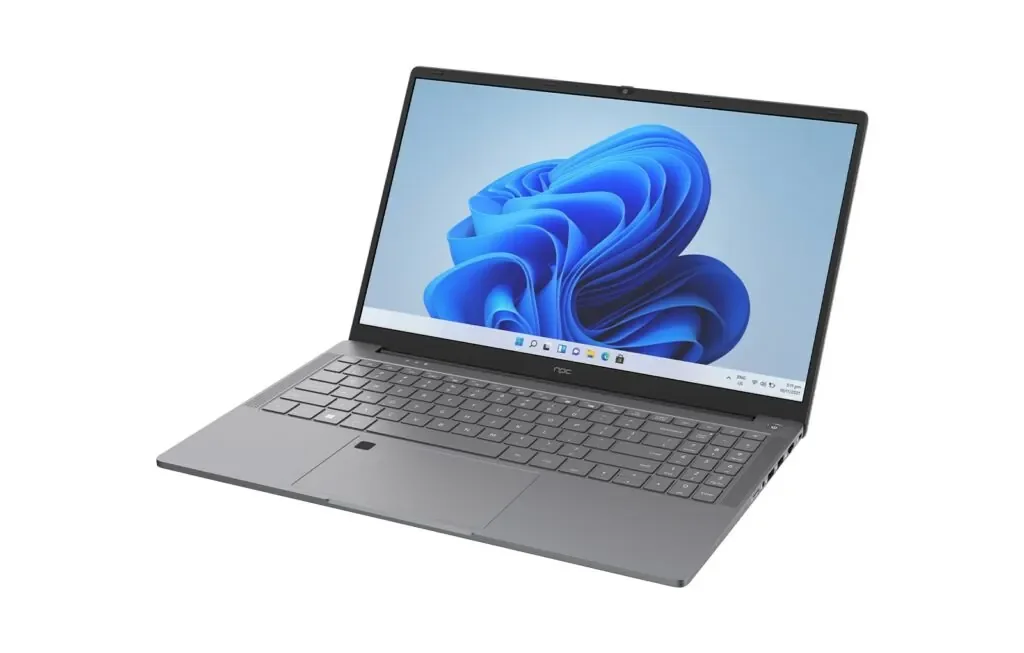
Running dedicated production facilities, we at NPC manufacture versatile notebook lineups spanning 14.1-inch, 15.6-inch, 16-inch, and 17.3-inch form factors. Our production models combine certified Intel Core and AMD Ryzen processors with responsive IPS displays, dual-slot DDR4 memory, and high-speed PCIe storage.
Machines from NPC includes two-year warranty protection covering the complete chassis alongside major hardware components like motherboards, screens, batteries, keyboards, and processors. Comprehensive after-sales support provides international distributors with stable inventory backing across demanding business cycles.
Global channel partners can configure customized hardware layouts, chassis finishes, and regional power accessories tailored to specific tender requirements. Review our complete portfolio of portable computing solutions at NPC, or speak with our sales engineering team today to request hardware specification sheets and evaluation samples.