

Setting up a home desktop often creates spatial friction. Traditional towers demand separate monitors, loose cords, and floor space. Combining hardware components directly behind the screen resolves this clutter.
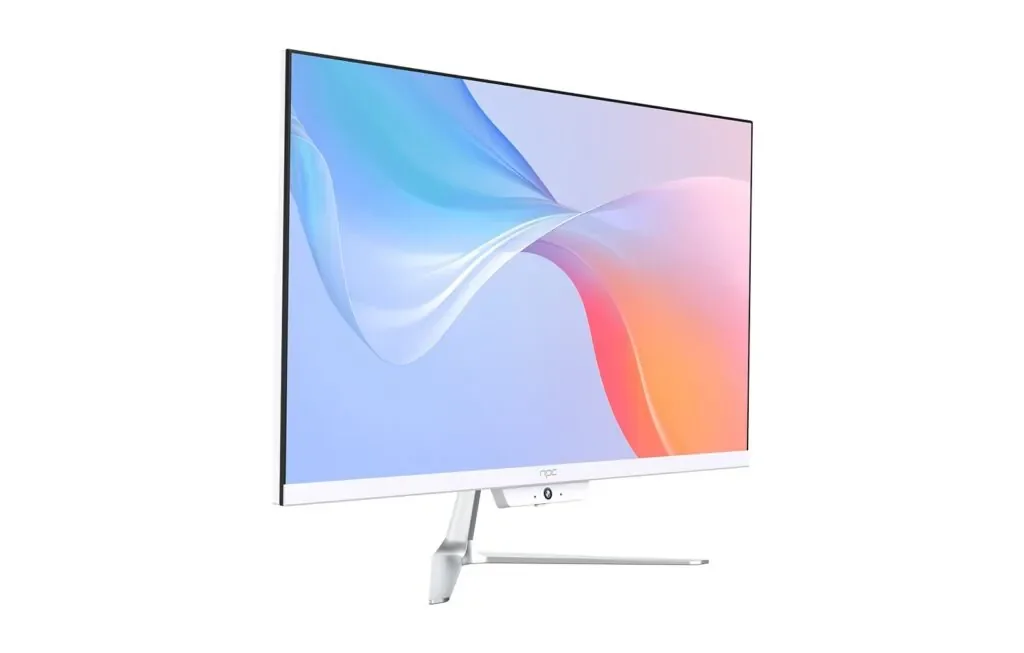
Everyday households need machines capable of handling diverse routines. Parents manage spreadsheets, students attend virtual classes, and family members stream video content. Hardware must support these tasks without slowing down or creating maintenance headaches.
Living spaces also require clean presentation. Bulky desktop computers with detached cables disrupt household decor in living rooms, bedrooms, and home offices. A unified system replaces multiple boxes with a tidy, single-device workstation.
Identifying the best all-in-one computer for home use requires evaluating practical hardware balance. Buyers need clear guidance on screen size, processing power, and port selection. Reviewing these core specifications simplifies the search for an effective home workstation.
Sizing the Display: Dimensions, Resolution, and Refresh Rates
Display size dictates how comfortably hardware fits into domestic living spaces. Compact 21.5-inch panels fit neatly into tight kitchen counters or small bedroom desks. Standard 23.8-inch screens offer balanced proportions for home office desks and shared study tables.
Larger 27-inch displays serve family entertainment centers and creative work. High resolutions of 2560×1440 provide crisp text and generous screen space. Users view multiple documents side by side without zooming or scrolling repeatedly.
Panel quality directly impacts daily reading and study comfort. Full HD 1920×1080 resolution on 21.5-inch and 23.8-inch screens presents sharp images for daily tasks. Wide viewing angles preserve color clarity when family members view the screen from different angles.
Refresh rates also influence everyday viewing fluidity. Standard 100 Hz or 120 Hz display options provide smooth motion for web browsing and casual gaming. Fluid screen output reduces visual stutter during daily computer interaction.
Slender bezels maximize active screen surface while minimizing outer hardware bulk. Micro-edge borders allow larger display areas to occupy minimal desk space. Clean frame lines integrate smoothly into residential interior spaces.
Core Processing: Matching Silicon, Memory, and Storage
Balanced home computing relies on dependable processor performance. Multi-core chips like the Intel Core i5-12450H or AMD Ryzen 7 7730U handle concurrent software tasks easily. Families run web browsers, video streams, and office suites without system hesitation.
Processing tiers must reflect family software demands. Entry-level Intel Core i3 silicon suits basic internet research and school word processing. Stepping up to Intel Core i5 or AMD Ryzen 7 chips supports photo adjustments, large spreadsheets, and multi-user switching.
System memory determines how many applications operate simultaneously. Equipping a system with 8 GB or 16 GB of DDR4 memory supports stable everyday multitasking. Dual SO-DIMM slots allow memory expansion up to 64 GB if household needs expand over time.
Storage architecture shapes daily responsiveness. Selecting the best all-in-one computer for home use means prioritizing fast M.2 solid-state drives. Capacities from 512GB to 1TB provide ample local space for family media, documents, and system software.
Solid-state drives access data through PCIe or SATA interfaces. Fast read speeds allow operating systems to boot in seconds. Applications launch swiftly, eliminating frustrating wait times during homework sessions or remote workdays.
Integrated Hardware: Cameras, Audio, and External Connectivity
Modern home tasks depend on reliable communication tools. Built-in 3.0MP or 5.0MP webcams support clear video quality for school presentations and remote work calls. Integrated dual microphones capture voice audio clearly without requiring detached desk equipment.
Internal stereo speakers supply direct audio output for multimedia and calls. Users hear video lessons and entertainment clearly without connecting external speaker sets. This integration preserves valuable surface space on busy desks.
Physical connectivity accommodates varied domestic accessories. Rear input panels feature USB 3.0 ports for rapid external drives and USB 2.0 ports for keyboards. Video ports like HDMI, DisplayPort, and VGA connect secondary monitors or external video sources.
Dedicated input ports also simplify external hardware setup. Users connect printers, flash drives, and gaming controllers directly without purchasing separate adapter hubs. Direct connectivity preserves desktop order while supporting everyday home accessories.
Networking options keep domestic workstations connected across the residence. Integrated dual-band Wi-Fi links with home routers without trailing network cables across hallways. Wired RJ45 gigabit Ethernet ports provide stable connections for data-heavy tasks, while Bluetooth pairs wireless accessories.
Operational Design: Thermal Stability and Practical Footprint
Slim chassis enclosures require efficient internal cooling paths. Internal heat pipes direct operating warmth toward upper exhaust vents. Low-noise fans expel warm air steadily, keeping internal silicon within safe thermal ranges during continuous daily operations.
Elevating processing components behind the display panel protects hardware from floor dirt. Traditional computer towers accumulate carpet dust and pet hair inside their cases. Monitor housings remain cleaner, supporting steady cooling and reliable component performance over years of use.
Power delivery runs through a compact external DC adapter. Single-cable power input removes dangerous floor cord tangles around household desks. Clean cable management keeps study areas organized and safe for children and pets.
Sturdy desktop stands support stable screen positioning during typing and adjustments. Compact base plates occupy minimal desk surface, leaving ample room for textbooks, notepads, and study materials.
Reliable Workstations for Modern Households
Matching hardware specifications to actual family needs results in a capable home workstation. Choosing appropriate screen dimensions, responsive processors, and versatile I/O ports delivers lasting practical utility across daily tasks.
Operating as a commercial display manufacturer, we at NPC design dependable all-in-one desktop platforms and monitors for global markets. Our manufacturing facilities combine precise optical testing, flexible motherboard configurations, and durable mechanical enclosures to serve wholesale and OEM partners.
Intel or AMD CPUs, DDR4 memory capacity, and M.2 storage choices are all standard on every NPC computer platform. Get in touch with NPC’s sales staff right away if you have any questions about bulk product specs, price, or want to explore distribution network supply possibilities.