

Hardware discounts can easily mislead buyers who prioritize initial purchase figures over lifetime operational costs. A low upfront invoice frequently masks inadequate cooling, soldered components, and dim displays that frustrate users and inflate maintenance expenses. True hardware value emerges when a system remains responsive and serviceable across three to five years of continuous daily operation.
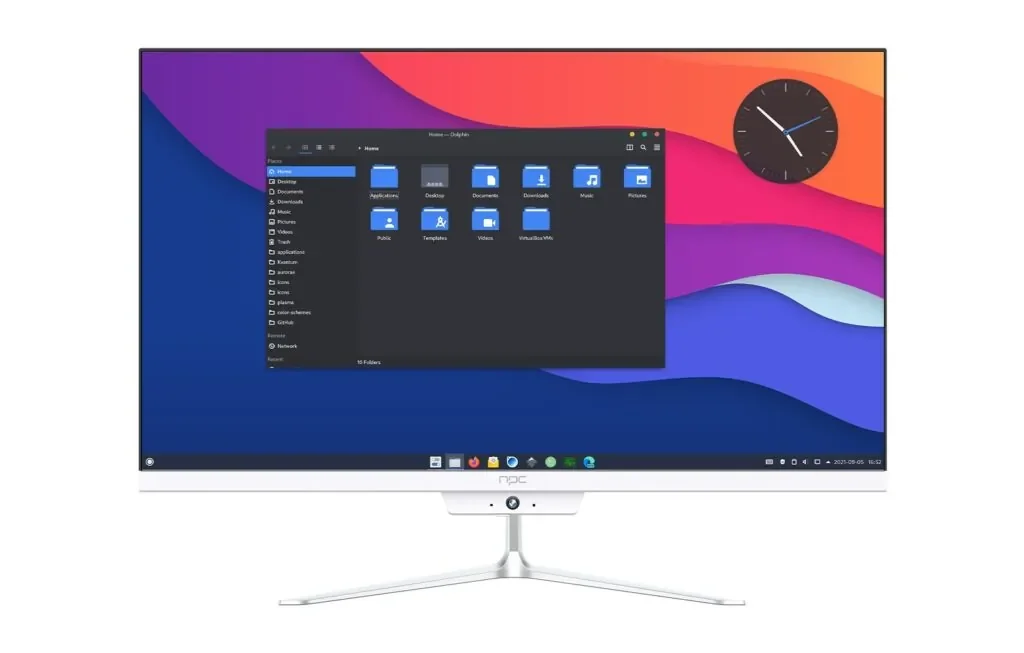
Superficial markdowns frequently disguise corner-cutting in thermal design or non-upgradeable architecture. Enterprise purchasers evaluating fleet deployments must look beyond promotional banners to analyze internal motherboards, cooling pathways, and expansion headroom. Calculating total cost of ownership prevents organizations from replacing sluggish equipment prematurely.
Scouring the market for the best all-in-one computer deals often leads procurement teams toward promotional bundles that emphasize superficial discounts while concealing restrictive internal hardware. Sifting through marketing buzzwords requires examining the underlying component hierarchy. Dissecting processing silicon, memory modularity, visual ergonomics, and post-purchase service agreements reveals which configurations provide genuine lasting utility.
Processor Architecture and Thermal Dissipation Trade-offs
Silicon choices dictate daily multitasking capability and thermal stability inside a sealed chassis. Integrated computers house motherboards, power delivery stages, and display panels in close proximity, making thermal management a defining performance factor. Choosing the right central processing unit requires balancing raw calculation capability against cabinet heat generation.
Laptop-grade processors like Intel Core i5 H-series or AMD Ryzen U-series balance active cooling with energy efficiency. Operating between 15W and 45W thermal design power, these chips handle office applications, web browsing, and multi-tab software suites while generating manageable heat levels. Their modest power consumption allows slim enclosures to maintain quiet fan curves and reliable temperatures during long shifts.
Desktop-grade central processors offer higher clock frequencies for multi-core collaboration, video rendering, and heavy database manipulation. These high-output chips generate substantial heat, demanding multi-pipe copper heat sinks and dual-blower fan setups to prevent thermal throttling. Buyers should inspect whether the internal chassis provides sufficient airflow channels before committing to high-wattage desktop silicon.
Memory Modularity and Storage Expandability Criteria
System memory and drive storage form the foundation of device longevity. Operating system updates, web applications, and enterprise database software steadily consume more memory over time. Systems incapable of memory expansion risk premature obsolescence when baseline allocations no longer support standard multitasking workflows.
Budget units frequently solder memory chips directly onto motherboards, permanently capping system throughput at factory levels. Once soldered RAM becomes saturated, the operating system shifts data to virtual memory, causing noticeable system lag and accelerating solid-state drive wear. Avoiding fixed memory configurations protects initial capital expenditures against creeping software demands.
Deploying motherboards with dual SO-DIMM slots supports memory expansions up to 64 GB DDR4. Facilities starting with a single 16 GB module running at 3200MHz can double capacity later without replacing entire workstations. Dual-channel memory configurations also enhance integrated graphics throughput, improving visual rendering speed across daily graphical tasks.
Standardized M.2 2280 NVMe storage slots allow technicians to swap drives quickly as data requirements expand. Solid-state drives supporting PCIe 3.0 x4 deliver rapid boot cycles and instant application loading compared to mechanical hard drives or entry-level SATA interfaces. Selecting modular storage architecture keeps drive replacement a straightforward, cost-effective maintenance task.
Display Integration: Resolution, Ergonomics, and Panel Fluidity
Display panels represent the primary user interface and warrant close scrutiny alongside internal processing silicon. Poor viewing angles, washed-out contrast, and dim backlights contribute to eye fatigue during prolonged workdays. Quality integrated systems pair competent computing hardware with calibrated screens that maintain image clarity across varied office lighting conditions.
Evaluating the best all-in-one computer deals requires looking beyond the initial purchase order to examine panel specifications, ergonomic adjustment ranges, and daily usability.
Bargain configurations often compromise on panel quality, supplying dim 60 Hz displays that strain eyesight and lower daily productivity. Selecting balanced display dimensions and smooth refresh rates yields noticeable ergonomic benefits for staff.
Mainstream 23.8-inch Full HD panels satisfy standard office documentation, whereas 27-inch 2K screens provide sharper visual grids for financial spreadsheets and detailed content editing.
Selecting IPS panels provides wide 178-degree viewing angles, maintaining consistent color and contrast even when collaborating with colleagues seated beside the screen. Brightness levels around 230 to 250 lux keep text legible under fluorescent office fixtures.
Upgrading from standard 60 Hz panels to 100 Hz refresh rates delivers smoother cursor tracking and fluid window scrolling. That temporal fluidity reduces eye fatigue during repetitive spreadsheet review, data entry, and document editing. A responsive display panel improves the overall tactile responsiveness of the workstation, making routine digital navigation feel immediate.
Physical stand mechanics represent another neglected aspect of workplace productivity. Basic fixed stands force users into rigid postures, contributing to neck and shoulder strain over eight-hour work shifts.
Height-adjustable bases allow operators to customize screen elevation by 10 to 15 centimeters and adjust tilt angles, accommodating diverse user heights across shared desks and conference rooms.
Component Sourcing and Scalable Hardware Manufacturing
Direct engineering support from NPC bridges the gap between affordable procurement and durable enterprise hardware. We source Tier-1 components from established global suppliers like BOE, CSOT, and AUO, housing them inside purpose-built chassis engineered for reliable heat dissipation. Every machine incorporates accessible ports, including dual USB 3.0, HDMI, DisplayPort, and stable RJ45 Gigabit Ethernet.
Operating dedicated production facilities since 2005, our teams at NPC manufacture customized 21.5-inch to 27-inch integrated systems tailored for wholesale distributors and corporate clients.
We back each system with a comprehensive two-year warranty covering the motherboard, processor, memory, storage, and display assembly. This structured quality validation process provides commercial partners with dependable desktop fleets built to withstand intensive daily operation.
Connect with our technical sales specialists at NPC to review wholesale pricing matrices, explore custom motherboard configurations, or request sample evaluation units for your upcoming refresh.