

Shopping for a mobile computer often requires choosing between lower upfront hardware costs and sustained application responsiveness. Many shoppers browsing 16 GB ram laptop deals wonder whether sixteen gigabytes of memory represents genuine utility or unnecessary capacity for basic routines. Clarifying how personal computers manage memory clarifies whether this allocation provides practical long-term value.
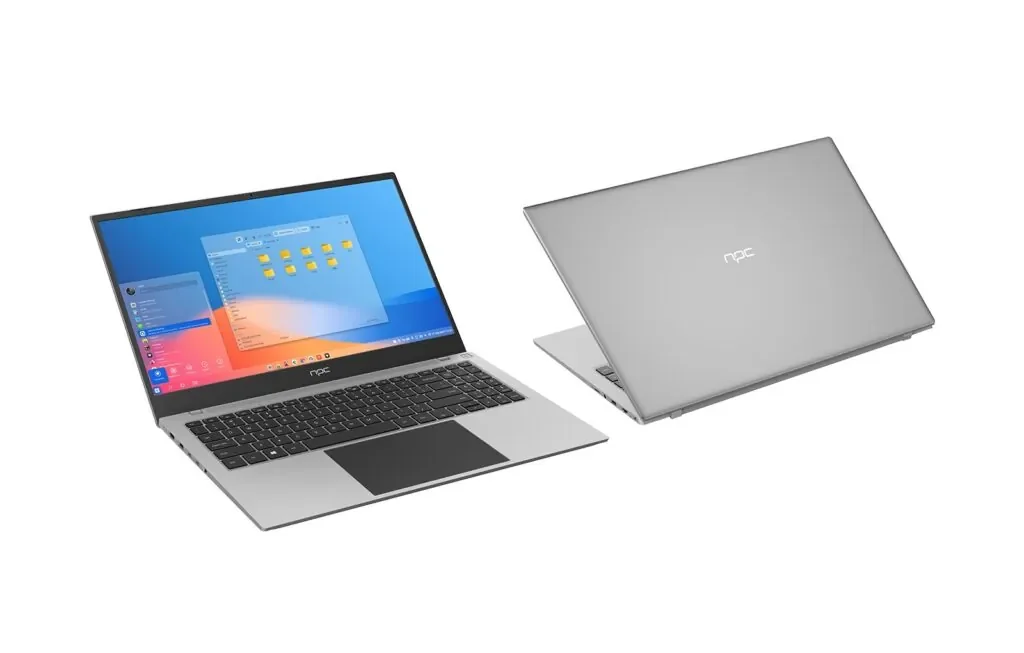
System memory functions as high-speed temporary storage for active applications, browser sessions, and system processes. When available memory fills up, operating systems shift data to the storage drive, resulting in sluggish navigation. Having sufficient memory avoids these bottlenecks, maintaining smooth performance during standard computing tasks.
Evaluating this capacity requires assessing modern application demands, background system services, and multitasking habits. Exploring actual hardware behavior helps buyers determine whether sixteen gigabytes matches daily requirements. Reviewing verified hardware specifications ensures users select balanced systems tailored to their workloads.
Memory Allocation: How Modern Operating Systems Consume System RAM
Modern 64-bit platforms like Windows 11 allocate significant system memory simply to manage desktop interfaces and core background services. Essential security modules, audio drivers, and networking protocols consume substantial capacity before any third-party program launches. A machine equipped with lower capacities can quickly encounter constrained memory headroom.
Integrated graphics architectures rely on system memory rather than dedicated video RAM. Processors featuring Intel Iris Xe Graphics or Intel UHD Graphics share the main memory pool to render user interfaces and high-resolution video streams. This shared architectural design makes adequate system memory essential for stable visual performance.
Dual-channel memory layouts enhance processing throughput across active computing sessions. Systems featuring dual SO-DIMM slots populated with 16 GB DDR4 memory running at 3200MHz provide broad data pipelines for concurrent tasks. Single-channel DDR5 configurations running at 5600MHz similarly deliver fast data delivery for everyday software commands.
Solid-state drives prevent system stalls when physical memory usage nears maximum capacity. Operating systems create paging files on M.2 NVMe storage drives to store inactive background memory segments. Adequate installed memory keeps active workloads within physical RAM, reducing wear on secondary storage drives.
Multitasking Headroom: Everyday Workloads Versus Memory Ceilings
Standard web browsing now represents one of the most memory-intensive tasks for daily users. Modern web browsers isolate each active tab into a distinct operating process to protect application stability. Running dozens of research tabs alongside email dashboards quickly exhausts lower memory limits.
Virtual communication tools require significant memory while running alongside office applications. Software suites running high-definition video conferencing, digital presentation decks, and multi-sheet financial workbooks operate concurrently throughout the workday. A 16 GB configuration provides comfortable headroom, allowing users to switch between tasks without application delays.
Local photo manipulation and light creative projects function reliably within this hardware tier. Users editing personal photography or organizing digital archives benefit from having ample memory to process image buffers. Applications execute filters and canvas adjustments smoothly when memory resources remain unconstrained.
Students and office workers running local databases or educational software also avoid memory bottlenecks. Sixteen gigabytes accommodates virtual classroom streams, word processing documents, and research files simultaneously. System responsiveness remains steady, avoiding interruptions during exams or collaborative project sessions.
Complementary Specifications: Balancing Processors, Displays, and Storage
Balancing memory capacity with processor capabilities determines overall computing fluidity. Pairing 16 GB of RAM with multi-core processors like the ten-core Intel Core i5-1235U supports reliable multitasking efficiency. Power-efficient quad-core platforms such as the Intel Processor N100 handle standard documentation and browsing tasks while keeping battery draw low.
Display dimensions influence how users interact with their daily multitasking environment. Compact 14.1-inch Full HD 1920×1080 IPS screens provide crisp visuals for users working on mobile desks. Larger 16.0-inch displays featuring QHD 2560×1600 resolutions in a 16:10 aspect ratio give professionals extra vertical space for documents and spreadsheets.
Fast solid-state storage completes an efficient hardware setup. A 512GB M.2 2280 PCIe solid-state drive delivers rapid boot cycles and immediate access to archived local files. Quick storage interfaces ensure applications launch without hesitation when called into active memory.
External connectivity options support flexible workspace setups across commercial and personal environments. Workstations equipped with USB 3.2 Gen 1 ports, Type-C connections, HDMI video outputs, and standard headphone jacks link directly to external peripherals without requiring converter hubs. Integrated Wi-Fi 6 or dual-band Wi-Fi 5 modules maintain reliable wireless connections.
Evaluating Value: Mobile Productivity and Long-Term Usability
Battery capacity dictates how effectively a portable computer supports daily mobile tasks. Configurations housing 45.6Wh or 55Wh lithium-ion polymer batteries provide six to eight hours of operating endurance away from electrical outlets. Energy-efficient silicon paired with sufficient memory prevents unnecessary processing strain, supporting steady battery performance.
Physical chassis construction balances carrying comfort against structural durability on the road. Combining metal covers with engineering plastic bodies keeps unit weight around 1430g to 1860g across 14-inch to 16-inch form factors. Users carry these mobile platforms comfortably in commuter bags without physical strain.
Integrated security features streamline daily device access in shared workspaces. Touchpad fingerprint readers utilizing SPI interfaces enable secure biometric sign-ins without manual password entry. Integrated 1.0MP or 2.0MP webcams paired with digital dual-microphone arrays support clear remote communication wherever work happens.
Evaluating 16 GB ram laptop deals confirms that sixteen gigabytes provides an optimal balance of responsiveness, software compatibility, and hardware lifespan for everyday users. Systems configured with this memory capacity handle modern browsing habits, workplace documentation, and remote communication smoothly without requiring early hardware replacements.
Reliable Portable Computing from an Integrated Manufacturer
Choosing a balanced memory configuration ensures mobile workstations remain responsive across multi-year software updates. Pairing sixteen gigabytes of memory with efficient processing architectures and high-resolution IPS displays creates a dependable setup for everyday personal and professional routines.
Operating as a professional display and computing hardware manufacturer, we at NPC produce dependable notebook computers, commercial monitors, and integrated desktop systems for global distribution. Factory operations handle panel binning, motherboard layout, and strict operational aging tests to deliver consistent commercial hardware to OEM and ODM clients worldwide.
Built inside sturdy metal and composite chassis, every NPC mobile platform includes high-speed, scalable DDR4 or DDR5 memory, snappy PCIe solid-state storage, and validated Intel CPUs. For all of your business hardware needs, including bulk pricing, assessment of specs, and scheduling of manufacturing and distribution, get in touch with NPC’s corporate sales team now.