








Imagine wanting to share your screen for a presentation or a video without handing over access to your entire digital life. This common scenario is where a feature called Guest Mode becomes essential. Available on many modern smart tv monitor wireless units, this function creates a separate, temporary user session. It directly addresses the friction of sharing a device that is deeply personalized with apps, logins, and preferences. We will explain how Guest Mode operates and why it turns a shared smart tv monitor wireless into a more secure and convenient tool for collaboration and entertainment.
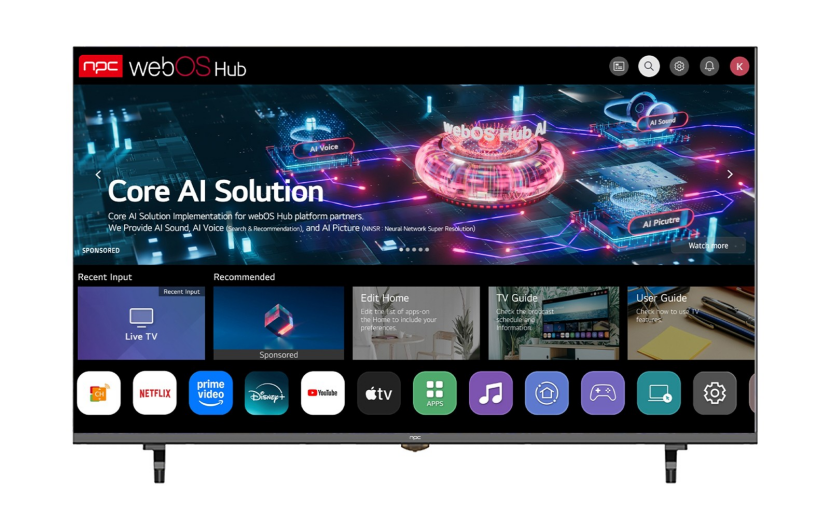
Defining the Isolated Session
Guest Mode is a software feature that initiates a clean, temporary profile on your device. When activated, it presents a neutral interface, typically with a default wallpaper and limited or no access to the primary user's installed applications, browser history, saved passwords, or account data. For a smart tv monitor wireless used in a living room or office, this means a visitor can connect their device without seeing your streaming service recommendations, personal files, or work documents. The session is self-contained, and once ended, all temporary data associated with the guest's activity is usually purged.
Privacy and Security as Primary Benefits
The most significant advantage of this mode is the protection of personal information. In a standard shared screen scenario, sensitive notifications, recent app activity, or stored credentials could be visible. Guest Mode erects a digital wall between the guest's activities and the owner's private ecosystem. This is particularly valuable for a wireless smart TV monitor in a shared workspace or showroom, where multiple individuals or clients may need to demonstrate content from their own laptops or phones throughout the day. It ensures professional boundaries and data security are maintained effortlessly.
The Convenience of Wireless Sharing Simplified
This feature streamlines the process of wireless screen mirroring or casting. Instead of needing to disconnect your own logged-in accounts or worrying about a guest accidentally altering your settings, you simply switch to Guest Mode. The guest can then connect their device to the clean slate via Wi-Fi Direct, Miracast, or AirPlay without any complicated setup or prior pairing with your personal network. It turns a personal smart tv monitor wireless into a secure, public display in seconds, greatly enhancing its utility for impromptu meetings, family gatherings, or presentations.
Guest Mode transforms a shared display from a privacy compromise into a controlled and professional tool. By providing an isolated, temporary environment, it removes the main anxieties associated with letting others use your primary device. This functionality highlights how software intelligence adds significant practical value to hardware. We at NPC examine features like these for their real-world utility. Our reviews at NPC consider how such modes affect daily use, and our perspective at NPC focuses on how technology can facilitate sharing without sacrificing personal security or convenience.


