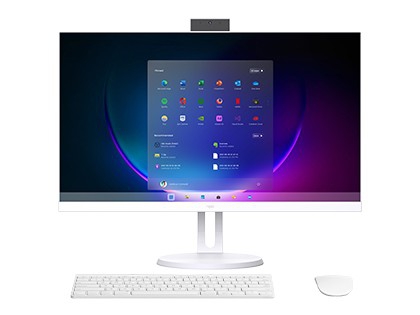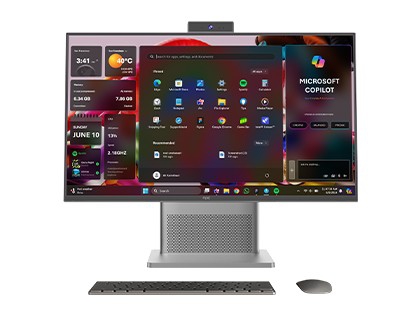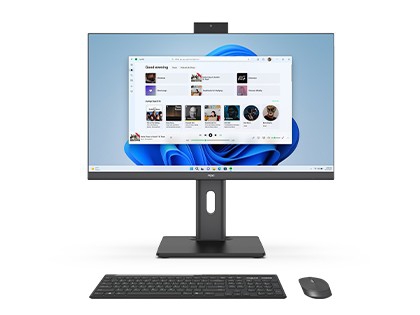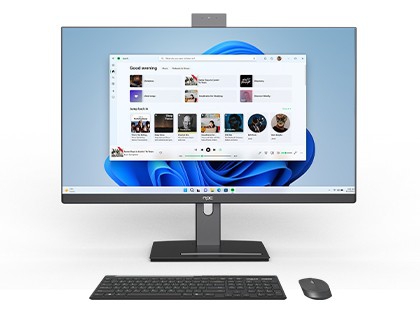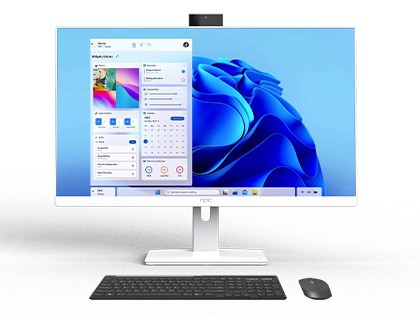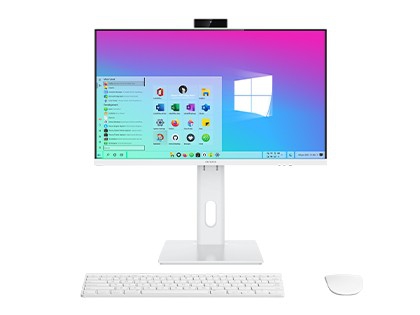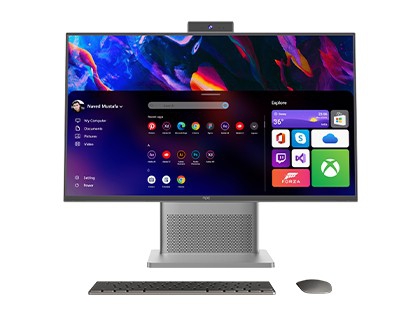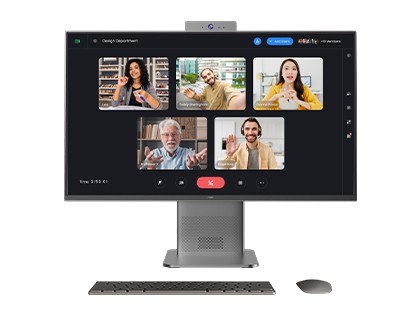
All-in-one PC
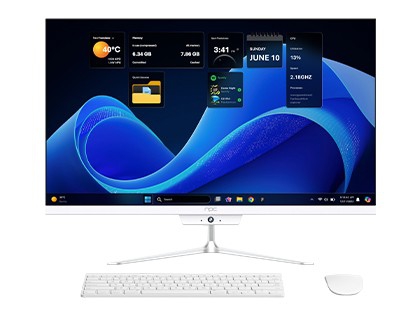
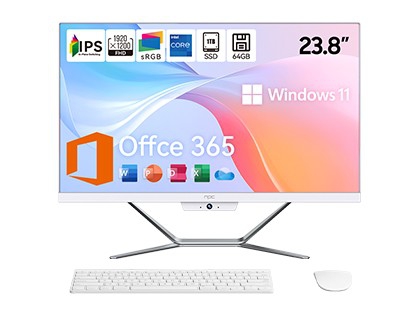
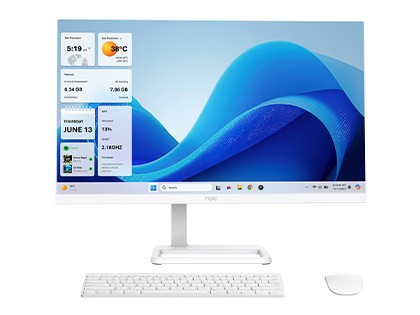
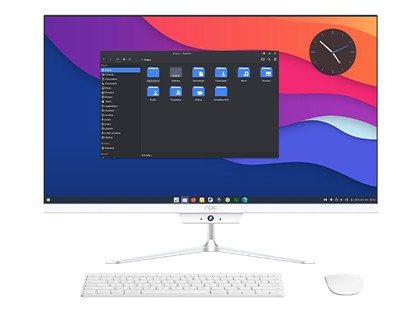
NPC All-In-One computer simplifies the entire desktop system into a single device, and combines fashionable appearance with comprehensive computer performance. AIO can maintain excellent efficiency and convenience whether used for work, entertainment or learning.
Product Configuration Notice:
The product features and configuration options presented on the NPC official website may vary by market. Please refer to the actual configurations and features of products sold in your local market.
NPC All-in-One computers are primarily available in four sizes: 21.5-inch, 23.8-inch, 24.5-inch, and 27-inch. Based on the specific characteristics and usage scenarios of each size, we recommend the following:
21.5-inch (Space-Saving): Suitable for users with limited space and low requirements for screen size, such as student dormitories or compact office desks. Its smaller size makes it easy to place without taking up too much space while satisfying basic daily needs like office work, learning, and light entertainment (web browsing, video watching, document processing).
23.8-inch (Balanced Standard): This is a moderate size that balances screen display area and space occupation. For most home and office users, the 23.8-inch screen provides a comfortable visual experience. It can clearly display content when multitasking (e.g., opening multiple windows for editing or data comparison) and performs well for HD video playback and casual gaming.
24.5-inch (Gaming & Creative): This size is common in the Esports field and is a good choice for gaming enthusiasts. Combined with a higher refresh rate and response time, the 24.5-inch screen offers smooth visuals and clear dynamic effects, helping players better capture game details. It also meets the basic creation needs of design beginners or video editing enthusiasts.
27-inch (Professional & Immersive): Suitable for users with high requirements for display effects, such as Professional Designers and Video Editors. The large screen can display more content simultaneously, facilitating complex graphic design and multi-layer operations. Video editors can see more footage on the timeline to improve efficiency. Additionally, for users who enjoy HD movies or gaming, the large 27-inch screen delivers a more immersive visual enjoyment.
NPC All-in-One PCs utilize a wide range of CPUs:
Intel Series: Core i3 1315U, i5 1335U, i7 1355U, i5-12450H, i5-13420H, Ultra5 125U/125H, Ultra7 155H.
AMD Ryzen Series: Ryzen 5 5500U, Ryzen 5 7430U, Ryzen 7 7730U, Ryzen 3 8440U, Ryzen 5 8640U, Ryzen 5 8640HS, Ryzen 7 8840U, Ryzen 7 8840HS, etc.
Performance Comparison & Selection Guide:
Intel Platform: Intel CPUs perform relatively prominently in Single-Core Performance. They provide a smoother experience for software requiring high single-core speed, such as certain office and programming software. Intel also boasts excellent compatibility; its adaptability with various hardware and software is high, and its stability has been long-tested by the market.
AMD Platform: AMD CPUs have advantages in Multi-Core and Multi-Threading. They demonstrate more powerful performance in scenarios requiring multi-core collaboration, such as multitasking, running large-scale games, or video rendering. Simultaneously, AMD CPUs are generally more cost-effective, making them a great choice for users with a limited budget who still pursue solid performance.
DCIN: Standard DC power interface. Consumers must use the original factory-standard power adapter for power supply. Do not use non-standard adapters to avoid damaging the product.
HDMI: High-Definition Multimedia Interface output. You can project the screen content to other display devices (monitors, TVs with HDMI input, projectors) via the HDMI port.
VGA: An analog video transmission interface. Although gradually being replaced by digital interfaces, it is still used in some older display equipment or specific scenarios. The VGA port allows convenient connection to legacy monitors or projectors that only support VGA input.
DP (DisplayPort): A high-definition digital display interface standard. The DP interface on NPC AIO PCs supports High Resolution and High Refresh Rate video signal transmission. It is ideal for connecting high-end monitors to achieve detailed, realistic visuals for professional graphic design, video editing, or AAA gaming. It also supports Multi-Screen Splicing/Daisy Chaining, allowing you to connect multiple monitors for an extended desktop to improve work efficiency. Note: Ensure high-quality cables are used to avoid unstable signals, and check the connector orientation to avoid damage during insertion.
USB: Interface for connecting external devices. NPC AIO PCs are equipped with 2 x USB 3.0 ports and 1 x USB 2.0 port, meeting the needs of most users.
RJ45 (Ethernet): Interface for wired network connection. It supports high-speed, stable network connections for office, entertainment, and professional applications. Connecting a network cable (Ethernet cable) ensures a faster and more stable experience than wireless networks, avoiding lag caused by unstable Wi-Fi signals.
Unboxing & Inspection: First, carefully check if the packaging box and internal accessories (Main Unit, Power Adapter, Manual, Warranty Card) are intact. Place the AIO PC on a stable, well-ventilated desk.
Boot & Initialization: Connect the power adapter and press the power button. Upon the first boot, follow the screen prompts to select language, time zone, and keyboard layout. Create or log in to your user account and set a secure password.
Network Connection:
Wired: Insert the network cable into the RJ45 port.
Wireless: Find the Wi-Fi option in system settings, select your network name, and enter the password.
System Updates: After connecting to the internet, it is recommended to update the system immediately. Go to Settings > Update & Security and click “Check for updates.” Updates fix known vulnerabilities, improve stability, and add new features.
Personalization: Adjust screen resolution, brightness, and contrast for visual comfort. Set mouse/keyboard sensitivity and install your commonly used software and drivers.
Data Backup: Regularly back up important data to external storage devices (USB drive, HDD) or cloud storage to ensure data safety in case of failure or loss.
(Note: This section mirrors the advice provided in the Laptop FAQ, focusing on Security, Stability, and Flexibility.)
Security First: Security patches must be installed promptly to fix vulnerabilities (e.g., remote code execution risks) and prevent malware attacks.
Stability: Updates fix bugs like “Sleep mode failures” or driver conflicts, ensuring hardware runs smoothly.
Flexible Choice: Avoid forced updates during critical work deadlines. Use the “Pause Updates” feature if necessary, but do not disable updates permanently.
Specs vary by model, but here are the common configurations:
Resolution: Mainstream models mostly use 1920×1080 (FHD) or 2560×1440 (2K/QHD).
21.5″/23.8″ models: Typically 1080P, satisfying daily office and audio-video needs.
27″+ models: Some feature 2K resolution, suitable for professional design and video editing scenarios requiring high picture quality.
Refresh Rate:
Base Models: Mostly 100Hz, suitable for general office work and movie watching.
Light Esports Series: (e.g., PF2514-K, PF2708-D) Support 120Hz High Refresh Rate, providing smoother dynamic images, significantly improving the gaming experience, and reducing screen tearing and ghosting.
Fixed Base: Structure is simple and stable with lower cost. Suitable for users with limited desktop space or fixed usage postures (e.g., sedentary office work without frequent height adjustments). It keeps the desktop tidy and offers high cost-effectiveness.
Height-Adjustable Base: Supports Height Adjustment (usually 10-15cm), Tilt Adjustment (-5° to 20°), and some models support Rotation. Suitable for long-term users (designers, programmers) to freely adjust screen height based on sitting/standing posture, reducing neck and waist pressure. It is also ideal for multi-user scenarios (meeting rooms, family use) to quickly adapt to different user heights.
If budget is limited or for basic office use, the Fixed Base is practical. If you work for long hours or prioritize health and flexibility, the Height-Adjustable Base is superior for reducing physical fatigue.
The choice depends on performance needs, heat dissipation, and budget:
Desktop CPU Advantages (Performance): Strong power with high multi-core capabilities. They use higher process technology, more cores, and higher clock speeds (e.g., i7/Ryzen 7 Desktop series). They can easily handle High-Load Scenarios like 3D modeling, video rendering, and large-scale gaming. Rendering speed can be 30%-50% faster than mobile CPUs.
Laptop CPU Advantages (Efficiency): Low power consumption and low heat. Designed for thin devices, they balance performance and battery life (TDP 15W-35W). They generate less heat, requiring less from the cooling system, resulting in Quieter Fan Noise and longer hardware life. Perfect for daily office work, web browsing, and video meetings.
Heat Dissipation: Desktop CPUs require robust cooling (dual fans + heat pipes) to avoid throttling. Laptop CPUs run cooler but have a lower performance ceiling. If the AIO chassis is ultra-thin, a Laptop CPU is a safer choice for stability.
Cost & Upgradability: Desktop CPUs are more expensive and require higher-spec components but may offer upgradability (if the socket allows). Laptop CPUs are often soldered (non-upgradable) but allow for a more cost-controlled, energy-efficient system.
Summary: For Professional Creation/Gaming, choose a Desktop CPU. For Energy Saving/Light Office/Budget, choose a Laptop CPU. Check the model suffix (e.g., i7-13700H is Laptop, i7-13700K is Desktop).
Warranty Period: 2 Years for the Whole Machine. Major Components (Motherboard, CPU, Memory, Display, Battery, HDD/SSD, Keyboard, Power Adapter) are also warranted for 2 Years.
Warranty Scope: Covers hardware failures under normal use. Excludes human damage, accidental damage, or force majeure.
Normal Use: Operation per manual in specified environments (0-40℃).
Human Damage: Unauthorized disassembly, hardware modification, non-original accessories.
Accidental Damage: Liquid spills, impact, screen cracks.
Service Channels: Official Website, Hotline, Authorized Service Centers. Supports On-site repair (select regions) and Mail-in service.
Data Safety: Users must Back Up Important Data before repair. The service center is not responsible for data loss.








Copyright © 2001-2026 Guangzhou Xianyou Intelligent Technology Co., Ltd All Rights Reserved.
NPC No.32 Xixiu Road, Xiuquan Street, Huadu District, Guangzhou, China
Please choose from the following service options: