Intel

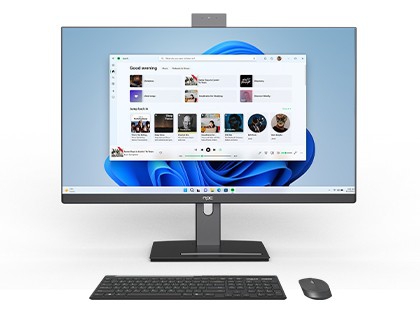
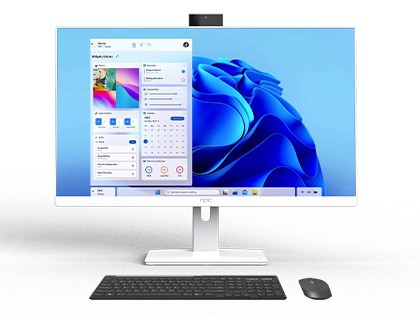
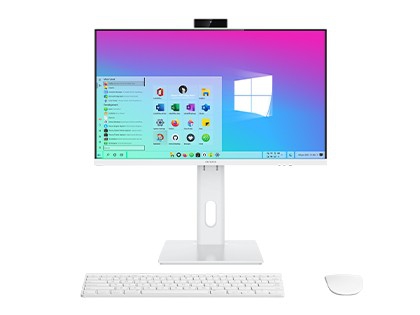
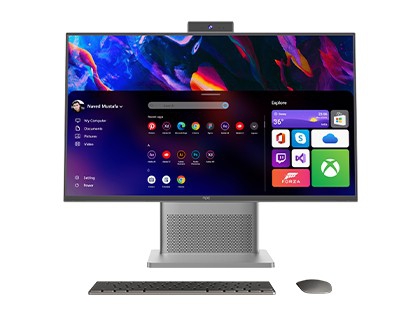
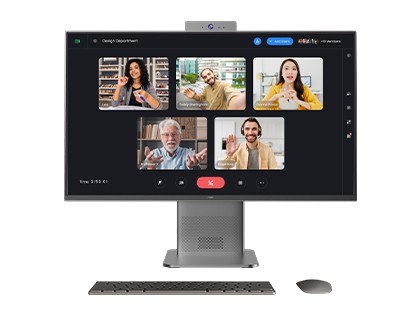
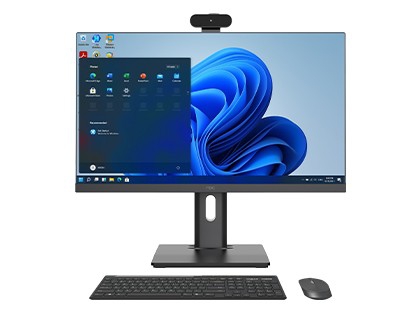
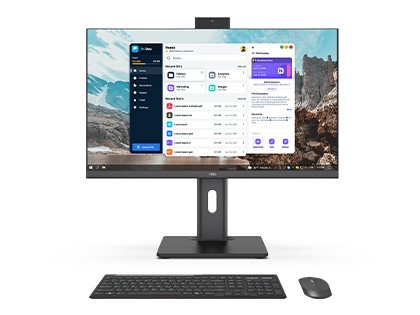
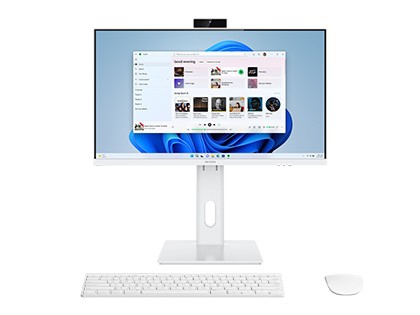
NPC Intel All-In-One (AIO) PCs combine sleek design with powerful performance, offering a streamlined solution for modern computing needs. Available in 24-inch and 27-inch screen sizes, these AIO PCs are equipped with Intel® Core™ processors and Windows operating systems, delivering exceptional speed and efficiency for multitasking, professional work, and entertainment. With high-definition displays, integrated cameras, and advanced connectivity options, they enhance productivity and user convenience while maintaining a clutter-free workspace. Ideal for offices, educational institutions, and home use, NPC AIO PCs provide a perfect balance of style, functionality, and performance. Explore our range to find the perfect personal computer for your needs!

NPC Intel All-In-One PCs Offerings:
– Screen Size: 24″ / 27″
– Processor (CPU): Intel® Core™ i5-12450H and i5-13420H
– Memory (RAM): 16GB DDR4 (3200MHz), expandable up to 64GB
– Storage (SSD): M.2 2280 SSD with 512GB standard, optional 128GB, 256GB, or 1TB, supporting PCIe 3.0 x4 or SATA.
– Graphics: Integrated Intel® UHD Graphics for 12th and 13th Gen processors.
* Customization solutions available to meet diverse needs.

Why Choose NPC?
Established in 2005, NPC is an established provider of PC and display technology, delivering innovative computing solutions to over 80 countries. With wholly-owned subsidiaries in the UK, Czech Republic, Japan, Singapore, Hong Kong, the Netherlands, Ghana, and Latvia, we provide localized support and seamless global service. Our mission is to make cutting-edge PC technology accessible and affordable through our expertise in reliable manufacturing and robust global supply chain. Choosing NPC means customizable PC solutions, competitive pricing, proven durability, and a dedicated global service network committed to your success. Request a Quote Today!

Product Configuration Notice:
The product features and configuration options presented on the NPC official website may vary by market. Please refer to the actual configurations and features of products sold in your local market.
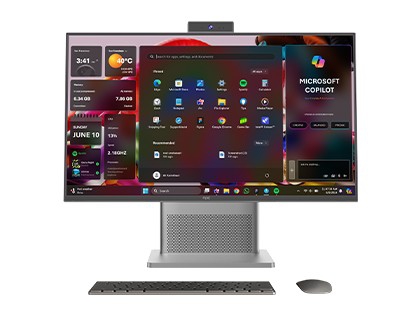
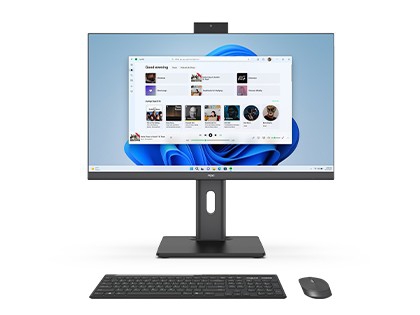
NPC-PF2712-A
NPC-PF2712-A

screen:27inch、1920*1080、60/75HzBrightness:25020LuxCPU:Intel® Core™ i5-12450HMemory:SO-DIMM DDR4 16GB 3200MHzStorage: M.2 2280 SSD 512GBCamera:3.0 MPWIFI:M.2 for WIFI(PCIe+USB & CNVi)(optional)BT:BT 5….

NPC PF2703-M
NPC PF2703-M

Screen:27 inches、1920*1080、100HzBrightness:25020LuxCPU:Intel® Core™ i5-13420H ProcessorMemory:SO-DIMM DDR4 16GB 3200MHzStorage:M.2 2280 SSD 512GBCamera:5.0MPWIFI:M.2 for WIFI(PCIe+USB & CNVi)(optional…

NPC PF2702-M
NPC PF2702-M

Screen:27inches、1920*1080、100HzBrightness:25020LuxCPU:ADL/RPL PLATFORM (include U series 15W , P series 28W , H series 45W)Memory:2*SO-DIMM DDR4 ,Max 64GB 3200MHzStorage: M.2 2280 SSD (supports PCIe 3…

NPC PF2702-M White
NPC PF2702-M White

Screen:27inches、1920*1080、100HzBrightness:25020LuxCPU:Intel® Core™ i5-12450H ProcessorMemory:SO-DIMM DDR4 16GB 3200MHzStorage:M.2 2280 SSD 512GBCamera:5.0MPWIFI:M.2 for WIFI(PCIe+USB & CNVi)(optional)…

NPC-PF2716-K
NPC-PF2716-K

Screen: 27 inches, 1920*1080, 100Hz, Brightness: 23020LuxCPU:Intel:Intel:Intel® Core™ i5-12450HMemory:2*SO-DIMM DDR4 ,Max 64GB 3200MHzStorage: M.2 2280 SSD (supports PCIe 3.0*4 or SATA modes)128/256/5…

NPC-PF2412-A
NPC-PF2412-A

Screen:23.8inch、1920*1080、100Hz、Brightness:23020LuxCPU:Intel® Core™ i5-12450HMemory:SO-DIMM DDR4 16GB 3200MHzStorage:M.2 2280 SSD 512GBCamera:3.0MPWIFI:M.2 for WIFI(PCIe+USB & CNVi)(optional)BT: 5.2Ad…

NPC-PF2412-B
NPC-PF2412-B

screen:23.8inch、1920*1080、100Hz、Brightness:23020LuxCPU:Intel® Core™ i5-13420H ProcessorMemory:SO-DIMM DDR4 16GB 3200MHzStorage:M.2 2280 SSD 512GBCamera:3.0 MPWIFI:M.2 for WIFI(PCIe+USB & CNVi)(optiona…

NPC PF2402-M
NPC PF2402-M

Screen:23.8inches、1920*1080、100HzBrightness:23020LuxCPU:Intel® Core™ i5-12450H ProcessorMemory:SO-DIMM DDR4 16GB 3200MHzStorage:M.2 2280 SSD 512GBCamera:5.0MPWIFI:M.2 for WIFI(PCIe+USB & CNVi)(optiona…

NPC PF2403-M
NPC PF2403-M

Screen:23.8inches、1920*1080、100Hz、Brightness:23020LuxCPU:Intel® Core™ i5-12450H ProcessorMemory:SO-DIMM DDR4 16GB 3200MHzStorage:M.2 2280 SSD 512GBCamera:5.0MPWIFI:M.2 for WIFI(PCIe+USB & CNVi)(option…

NPC-PF2416-K
NPC-PF2416-K

Screen: 23.5 inches, 1920*1080, 100Hz, Brightness: 23020LuxCPU:Intel:Intel:Intel® Core™ i5-12450HMemory:2*SO-DIMM DDR4 ,Max 64GB 3200MHzStorage: M.2 2280 SSD (supports PCIe 3.0*4 or SATA modes)128/256…

NPC All-in-One PC FAQs

An all-in-one desktop PC combines the computer components and display into a single device, eliminating the need for a separate computer tower and monitor. This integrated design creates a more compact and organized workspace while maintaining the comprehensive performance of a desktop computer.

As an all-in-one computer manufacturer, NPC provides AIO PCs that combine a stylish appearance with comprehensive computer performance. With the essential components integrated into one device, an all-in-one system computer can provide efficiency and convenience for work, entertainment, and learning.

NPC All-in-One PC deals are primarily available in four sizes: 21.5-inch, 23.8-inch, 24.5-inch, and 27-inch. Based on the specific characteristics and usage scenarios of each size, we recommend the following:

  • 21.5-inch (Space-Saving): Suitable for users with limited space and low requirements for screen size, such as student dormitories or compact office desks. Its smaller size makes it easy to place without taking up too much space while satisfying basic daily needs like office work, learning, and light entertainment.
  • 23.8-inch (Balanced Standard): This moderate size balances screen display area and space occupation. For most home and office users, the 23.8-inch screen provides a comfortable visual experience and performs well for multitasking, HD video playback, and casual gaming.
  • 24.5-inch: Suitable for users who need a larger display area while maintaining a compact desktop setup. It can meet everyday work, entertainment, and learning needs.
  • 27-inch (Professional & Immersive): Suitable for users with higher requirements for display effects, such as professional designers and video editors. The larger screen can display more content simultaneously, facilitating complex graphic design and multi-layer operations. It is also suitable for users who enjoy HD movies or gaming and want a more immersive visual experience.

Yes. NPC All-in-One PCs are designed for a range of usage scenarios, including business, home use, learning, entertainment, and professional work.

  • For businesses, an all-in-one business PC provides a compact desktop solution that combines the display and computer components in one device, making it suitable for offices and other work environments.
  • For home users, an all-in-one home computercan provide a convenient solution for everyday computing, learning, entertainment, and home-office tasks. NPC offers different configurations and screen sizes to meet varying performance and usage requirements.

For buyers looking for an all-in-one PC for business or an all-in-one PC for home use, the appropriate model can be selected according to the required screen size, CPU platform, performance, and application scenario.

NPC All-in-One PCs utilize a wide range of CPUs, including Intel and AMD Ryzen processors.

Intel Series: Core i3-1315U, i5-1335U, i7-1355U, i5-12450H, i5-13420H, Ultra 5 125U/125H, Ultra 7 155H, and other models.

AMD Ryzen Series: Ryzen 5 5500U, Ryzen 5 7430U, Ryzen 7 7730U, Ryzen 3 8440U, Ryzen 5 8640U, Ryzen 5 8640HS, Ryzen 7 8840U, Ryzen 7 8840HS, and other models.

Performance Comparison & Selection Guide:

  • Intel Platform: Intel CPUs perform relatively well in single-core performance. They provide a smoother experience for software requiring high single-core speed, such as certain office and programming software. Intel also offers broad compatibility with different hardware and software.
  • AMD Platform: AMD CPUs have advantages in multi-core and multi-threading performance. They demonstrate stronger performance in scenarios requiring multi-core collaboration, such as multitasking, large-scale games, and video rendering. AMD CPUs are also generally more cost-effective, making them a suitable choice for users with a limited budget who still require solid performance.

For distributors comparing all-in-one PC manufacturers or looking for a budget all-in-one PC, CPU performance, application requirements, and overall configuration should be considered together.


Specs vary by model, but here are the common configurations:

  • Resolution: Mainstream models mostly use 1920×1080 (FHD) or 2560×1440 (2K/QHD).

    • 21.5″/23.8″ models: Typically 1080P, satisfying daily office and audio-video needs.

    • 27″ and larger models: Some feature 2K resolution, suitable for professional design and video editing scenarios requiring high picture quality.

  • Refresh Rate:

    • Base Models: Mostly 100Hz, suitable for general office work and movie watching.

    • Light Esports Series: (e.g., PF2514-K, PF2708-D) Support 120Hz High Refresh Rate, providing smoother dynamic images, significantly improving the gaming experience, and reducing screen tearing and ghosting.

  •  

NPC All-in-One PCs provide a range of interfaces for power, display, external devices, and network connections:

  • DCIN: Standard DC power interface. Consumers must use the original factory-standard power adapter for power supply. Do not use non-standard adapters to avoid damaging the product.

  • HDMI: High-Definition Multimedia Interface output. You can project the screen content to other display devices (monitors, TVs with HDMI input, projectors) via the HDMI port.

  • VGA: An analog video transmission interface. Although gradually being replaced by digital interfaces, it is still used in some older display equipment or specific scenarios. The VGA port allows convenient connection to legacy monitors or projectors that only support VGA input.

  • DP (DisplayPort): A high-definition digital display interface standard. The DP interface on NPC AIO PCs supports High Resolution and High Refresh Rate video signal transmission. It is ideal for connecting high-end monitors to achieve detailed, realistic visuals for professional graphic design, video editing, or AAA gaming. It also supports Multi-Screen Splicing/Daisy Chaining, allowing you to connect multiple monitors for an extended desktop to improve work efficiency. Note: Ensure high-quality cables are used to avoid unstable signals, and check the connector orientation to avoid damage during insertion.

  • USB: Interface for connecting external devices. NPC AIO PCs are equipped with 2 x USB 3.0 ports and 1 x USB 2.0 port, meeting the needs of most users.

  • RJ45 (Ethernet): Interface for wired network connection. It supports high-speed, stable network connections for office, entertainment, and professional applications. Connecting a network cable (Ethernet cable) ensures a faster and more stable experience than wireless networks, avoiding lag caused by unstable Wi-Fi signals.


The choice depends on performance needs, heat dissipation, and budget:

Desktop CPU Advantages (Performance): Strong power with high multi-core capabilities. They use higher process technology, more cores, and higher clock speeds (e.g., i7/Ryzen 7 Desktop series). They can easily handle High-Load Scenarios like 3D modeling, video rendering, and large-scale gaming. Rendering speed can be 30%-50% faster than mobile CPUs.

Laptop CPU Advantages (Efficiency): Low power consumption and low heat. Designed for thin devices, they balance performance and battery life (TDP 15W-35W). They generate less heat, requiring less from the cooling system, resulting in Quieter Fan Noise and longer hardware life. Perfect for daily office work, web browsing, and video meetings.

Heat Dissipation: Desktop CPUs require robust cooling (dual fans + heat pipes) to avoid throttling. Laptop CPUs run cooler but have a lower performance ceiling. If the AIO chassis is ultra-thin, a Laptop CPU is a safer choice for stability.

Cost & Upgradability: Desktop CPUs are more expensive and require higher-spec components but may offer upgradability (if the socket allows). Laptop CPUs are often soldered (non-upgradable) but allow for a more cost-controlled, energy-efficient system.

Summary: For professional creation or gaming, a desktop CPU may be preferred. For energy saving, light office work, or budget-oriented configurations, a laptop CPU may be more suitable. Check the model suffix (e.g., i7-13700H is Laptop, i7-13700K is Desktop).

  1. Unboxing & Inspection: First, carefully check if the packaging box and internal accessories (Main Unit, Power Adapter, Manual, Warranty Card) are intact. Place the AIO PC on a stable, well-ventilated desk.

  2. Boot & Initialization: Connect the power adapter and press the power button. Upon the first boot, follow the screen prompts to select language, time zone, and keyboard layout. Create or log in to your user account and set a secure password.

  3. Network Connection:

    • Wired: Insert the network cable into the RJ45 port.

    • Wireless: Find the Wi-Fi option in system settings, select your network name, and enter the password.

  4. System Updates: After connecting to the internet, it is recommended to update the system immediately. Go to Settings > Update & Security and click “Check for updates.” Updates fix known vulnerabilities, improve stability, and add new features.

  5. Personalization: Adjust screen resolution, brightness, and contrast for visual comfort. Set mouse/keyboard sensitivity and install your commonly used software and drivers.

  6. Data Backup: Regularly back up important data to external storage devices (USB drive, HDD) or cloud storage to ensure data safety in case of failure or loss.

(Note: This section mirrors the advice provided in the Laptop FAQ, focusing on Security, Stability, and Flexibility.)

  • Security First: Security patches must be installed promptly to fix vulnerabilities (e.g., remote code execution risks) and prevent malware attacks.

  • Stability: Updates fix bugs like “Sleep mode failures” or driver conflicts, ensuring hardware runs smoothly.

  • Flexible Choice: Avoid forced updates during critical work deadlines. Use the “Pause Updates” feature if necessary, but do not disable updates permanently.

  • Fixed Base: Structure is simple and stable with lower cost. Suitable for users with limited desktop space or fixed usage postures (e.g., sedentary office work without frequent height adjustments). It keeps the desktop tidy and offers high cost-effectiveness.

  • Height-Adjustable Base: Supports Height Adjustment (usually 10-15cm), Tilt Adjustment (-5° to 20°), and some models support Rotation. Suitable for long-term users (designers, programmers) to freely adjust screen height based on sitting/standing posture, reducing neck and waist pressure. It is also ideal for multi-user scenarios (meeting rooms, family use) to quickly adapt to different user heights.

The right stand depends on your workspace, usage habits, and ergonomic requirements. If budget is limited or for basic office use, the Fixed Base is practical. If you work for long hours or prioritize health and flexibility, the Height-Adjustable Base is superior for reducing physical fatigue.

Warranty Period: 2 Years for the Whole Machine. Major Components (Motherboard, CPU, Memory, Display, Battery, HDD/SSD, Keyboard, Power Adapter) are also warranted for 2 Years.

Warranty Scope: Covers hardware failures under normal use. Excludes human damage, accidental damage, or force majeure.

  • Normal Use: Operation per manual in specified environments (0-40℃).

  • Human Damage: Unauthorized disassembly, hardware modification, non-original accessories.

  • Accidental Damage: Liquid spills, impact, screen cracks.

Service Channels: Official Website, Hotline, Authorized Service Centers. Supports On-site repair (select regions) and Mail-in service.

Data Safety: Users must Back Up Important Data before repair. The service center is not responsible for data loss.

After-Sales

Welcome to the NPC website!

Please choose from the following service options:

Product Inquiry
>
Product Inquiry
>
After-Sales Service
>