








Living in a compact space requires every piece of technology to serve multiple purposes. The rise of smart tv monitors presents a compelling solution, merging the high-quality display of a computer monitor with the integrated streaming and connectivity of a smart TV. For apartment dwellers, this hybrid device can be the centerpiece of an efficient, multi-functional living area. We will explore practical methods to integrate a smart tv monitors into a limited floor plan, focusing on placement, smart feature utilization, and workflow integration to enhance daily productivity and leisure without consuming excessive space.
Strategic Placement and Space Integration
The first step involves physical placement. Unlike a traditional television, a smart tv monitors is designed for closer viewing, which allows for more flexible mounting options. Consider a wall mount with a fully articulating arm. This setup eliminates the need for a dedicated desk or console in your main living area, freeing up floor space. The monitor can be positioned over a console table when used for entertainment and then swiveled to face a comfortable seating area or even a kitchen bar for following recipes via streaming apps. The key is to treat the display as a movable focal point rather than a static fixture, allowing one device to serve both work and relaxation zones in your apartment.
Leveraging Built-In Smart Platforms
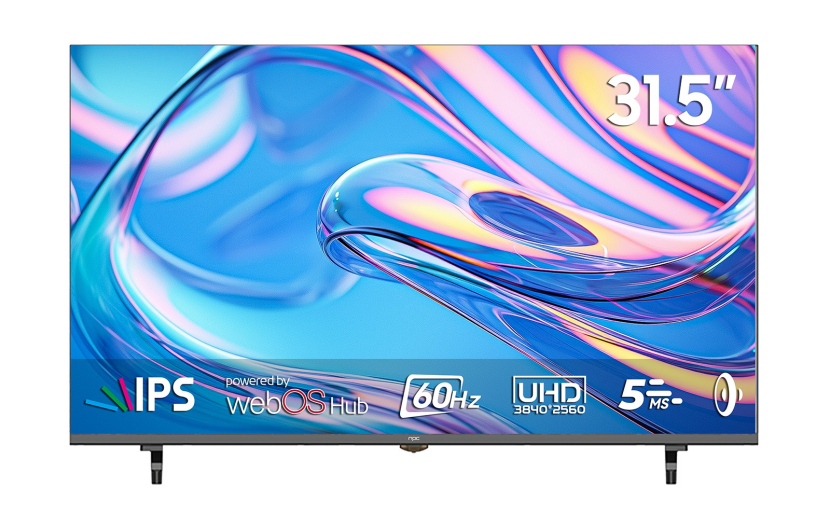
The integrated operating system is what truly distinguishes a smart tv monitors. These built-in platforms, like webOS or Android TV, host applications for video streaming, music services, and even basic web browsing. This functionality means you can access your entertainment directly without connecting a separate laptop or streaming stick, reducing cable clutter and hardware count. For maximum efficiency, use the monitor's voice control feature, if available, to search for content or control smart home devices hands-free. This turns the screen into a central hub for managing your environment. Organizing your most-used apps on the home screen creates a personalized and quick-access dashboard for both leisure and practical daily tasks.
Creating a Multi-Tasking Work and Leisure Station
The most significant efficiency gain comes from seamless role-switching. During the day, connect a compact wireless keyboard and mouse to the monitor's USB port to create a large-screen workstation for remote tasks. In the evening, a single input change switches it to a media center. Some smart tv monitors support features like picture-in-picture, allowing you to stream a tutorial on one part of the screen while following along on a connected device in another. This multi-tasking capability consolidates activities that might otherwise require multiple screens or devices. The goal is to create a single, adaptable station that supports concentrated work, video calls, casual browsing, and content consumption, thereby justifying its presence in a square-footage-conscious house.
Effectively using a smart TV monitor in a small apartment hinges on recognizing its dual nature as a precise display and an autonomous entertainment source. The efficiency is derived not just from the device itself, but from a thoughtful approach to its placement and the full use of its integrated ecosystem. At NPC, we consider this need for versatile, space-conscious technology. Our approach at NPC involves designing with these multi-scenario use cases in mind, ensuring our smart tv monitors provide the connectivity and features that support a streamlined, efficient lifestyle in compact living situations. The NPC design philosophy aligns with making technology adapt to your space, not the other way around.


