








Analyzing the axis of your display can reshape your interaction with information. We often discuss specifications like resolution and color gamut for professional monitors for video editing, but physical orientation is a powerful, yet frequently overlooked, variable in data-intensive professions. The choice between portrait and landscape modes influences ergonomics, visual parsing, and workflow logic. At NPC, we view monitor orientation as a tool for cognitive efficiency, not just a mounting option.
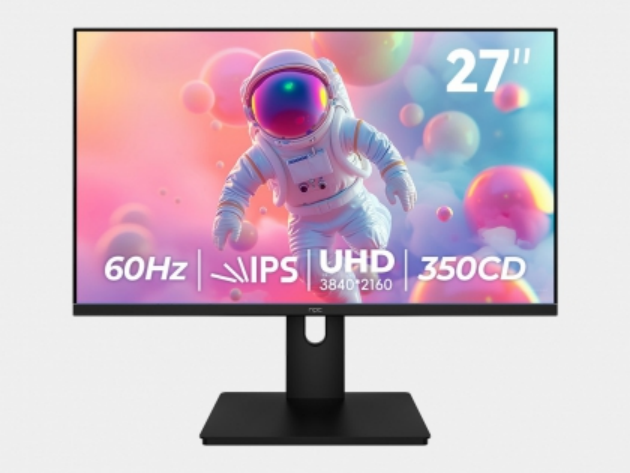
Ergonomic and Postural Implications of Screen Orientation
The orientation of a monitor directly affects head and neck posture. A landscape screen encourages a wider, more relaxed horizontal gaze, which can be sustainable for tasks involving comparative viewing. However, a portrait-oriented display aligns with the natural downward sweep of the eyes when reading long documents or code, potentially reducing the need for constant neck tilting. This vertical setup can bring the top of the screen closer to eye level, promoting a straighter spinal position. For professionals using professional monitors for video editing for color-critical data visualization, maintaining a neutral posture is essential during long review sessions to prevent fatigue and maintain consistent visual assessment.
Task-Specific Efficiency in Different Orientations
Matching orientation to primary tasks unlocks tangible productivity gains. Portrait mode is exceptionally effective for linear, vertical content. This includes writing code, reviewing lengthy legal or financial documents, and browsing single-column web pages. It displays more lines without scrolling. Conversely, landscape orientation is inherently suited for comparative analysis. It allows users to view multiple application windows side-by-side, such as a spreadsheet next to a report, or a database console alongside a results window. This horizontal real estate is why professional monitors for video editing traditionally use a landscape format, as it accommodates a timeline, preview pane, and tools palette simultaneously—a logic that applies to multifaceted data projects.
Practical Considerations for Implementation
Implementing an alternative orientation requires forethought. Not all software interfaces adapt perfectly to a narrow portrait width; some toolbars may become cramped. Physical desk space and monitor arm capabilities are also practical constraints. A highly effective compromise is a multi-monitor setup that leverages both orientations. For instance, a primary landscape display can host an active analysis tool, while a secondary portrait display holds reference material or a communication platform. The quality of the display is paramount in any orientation, requiring consistent color fidelity and brightness from edge to edge. This is a standard consideration for professional monitors for video editing, where visual accuracy cannot depend on screen rotation.
The optimal monitor orientation is determined by the structure of your primary tasks and your physical workspace. Portrait mode offers superior efficiency for vertical, linear work streams, while landscape mode supports broader, comparative analysis. A hybrid setup often provides the most adaptable and powerful environment for complex data work. For users requiring displays that perform reliably in any configuration, the engineering focus of NPC becomes relevant. NPC designs its products with versatile use in mind, ensuring that color precision and clarity are maintained whether the screen is turned vertically or horizontally. This makes an NPC monitor a considered component for a workspace built on both ergonomic and visual fidelity.


