








Scrubbing through a video timeline should feel immediate, a direct extension of creative intent. Yet, many editors encounter a frustrating disconnect—a perceptible delay or blur between the cursor's movement and the visual feedback on screen. This sluggishness isn't a minor inconvenience; it disrupts the flow of precision work. We find the roots of this issue in specific technical parameters of display hardware, often overlooked in favor of specifications like resolution alone. For tasks demanding frame-accurate scrutiny, such as color grading footage from professional monitors for photography, understanding these underlying causes is essential.
Pixel Response and the Ghosting Effect
A primary contributor to a sluggish scrubbing feel is pixel response time. This metric measures how quickly a pixel can shift from one color to another, typically cited in gray-to-gray transitions. When response times are too high, pixels cannot keep pace with rapid changes in sequential video frames. This lag manifests as motion blur or ghosting artifacts behind moving elements. In an editing timeline, this means individual frames bleed into one another during playback or scrubbing, obscuring critical detail. Displays engineered for static image review, including some professional monitors for photography, may prioritize color stability over rapid pixel transition, which becomes a liability in moving image work.
Refresh Rate and Frame Rate Synchronization
Another layer involves the relationship between a monitor's refresh rate and your video footage's frame rate. A standard 60Hz display refreshes its image 60 times per second. If you are scrubbing 24fps footage, the math does not align evenly, potentially causing judder or an inconsistent visual step-through. Furthermore, many monitors lack adaptive synchronization technologies for creative applications, leading to screen tearing or stutter during horizontal timeline movement. The feeling of smoothness is not just about high numbers; it is about precise harmony between the source material's temporal structure and the screen's update cycle. This synchronization is a non-negotiable for efficient editing.
The Hidden Cost of Color Precision
The pursuit of color accuracy, paramount for professional monitors for photography, can introduce processing latency. Complex hardware calibration data (LUTs) and meticulous color space transformations require processing power. Some monitors perform this processing internally, adding milliseconds of delay between receiving a signal from the computer and displaying the corrected image. This end-to-end system latency, often unlisted in specifications, directly impacts the perceived immediacy of scrubbing. A monitor might show perfect color but feel detached from your inputs, creating a cognitive hurdle that slows down decision-making.
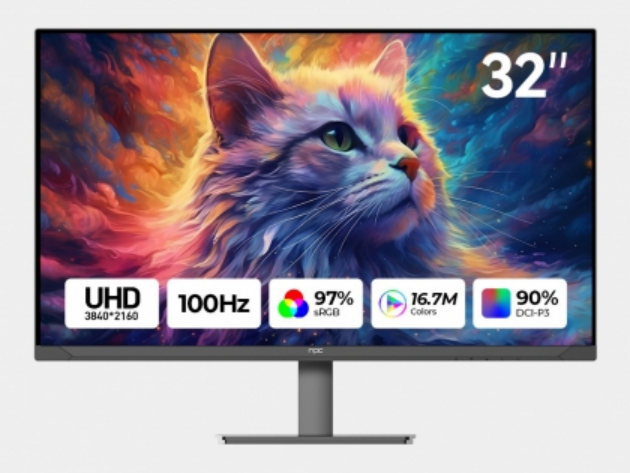
We see that a responsive editing experience hinges on a display balancing multiple disciplines: swift pixel response, intelligent refresh handling, and high-fidelity color processing executed with minimal delay. This intersection is where specialized tools separate themselves. At NPC, our development focuses on this synthesis. We engineer our displays to manage advanced color science without introducing disruptive latency, ensuring that the accuracy needed for photography also translates into a responsive timeline for video. The goal is a seamless interface where the technology recedes, leaving only a direct and fluid connection with your work.


