








Implementing a multi-display workstation requires careful consideration of both hardware and human factors. For professionals in trading and data analysis, a four-screen array is a common configuration that significantly expands visual real estate. This setup allows for the simultaneous viewing of complex charts, live data feeds, communication platforms, and analytical models. We will outline a structured approach to assembling this system, focusing on the critical role of consistent professional monitors to ensure a seamless and efficient workflow.
Selecting Compatible Hardware Components
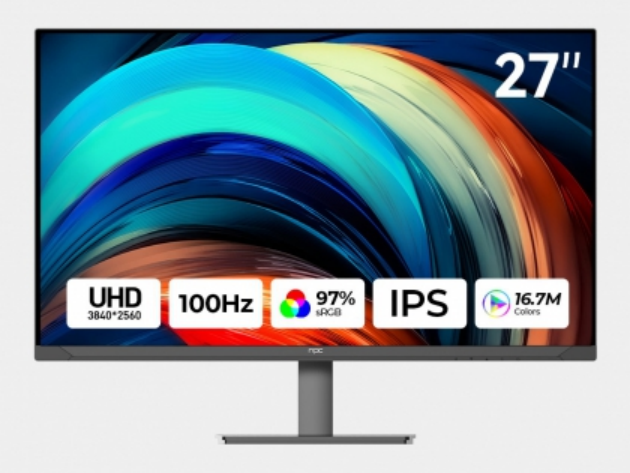
The foundation of a reliable multi-monitor array is hardware compatibility. This starts with a graphics solution capable of supporting four independent displays, often requiring a dedicated GPU with multiple video outputs or the use of two coordinated cards. The core visual components, however, are the professional monitors themselves. For analytical tasks, we recommend using four identical models. This guarantees uniform color reproduction, consistent brightness levels, and matching response times across the entire array, which is vital when comparing graphical data across screens. Disparate monitors can lead to eye strain and misinterpretation of visual information.
Arranging Screens for Ergonomic Efficiency
Physical placement directly impacts long-term usability and comfort. A logical layout is key; a common pattern is a central primary screen flanked by two secondary displays, with a fourth monitor positioned above the main one. This structure places core applications front and center while dedicating peripheral screens to monitoring tools or references. The goal is to minimize excessive head turning and neck strain. When positioning your professional monitors, ensure the top of each screen is at or slightly below eye level and that you are sitting at an arm's length distance. Precise alignment of bezels creates a more contiguous field of view, enhancing the perception of a single, vast desktop.
Configuring Operating System and Software
After connecting all hardware, software configuration tailors the array to your specific tasks. Within your operating system's display settings, you must correctly arrange the virtual positions of each monitor to match their physical layout, ensuring your mouse cursor moves intuitively between them. For trading and data analysis, leverage application-specific features. Many trading platforms and data visualization software suites allow you to save window layouts, docking specific charts or tools to predetermined screens. This enables a quick, reproducible setup each day, turning your four physical professional monitors into a cohesive digital workspace tailored to your analytical process.
A properly executed four-monitor array transforms data interaction, reducing time spent toggling between windows and increasing contextual awareness. The technical selection and ergonomic arrangement of displays are investments in sustained focus and accuracy. For a system built on uniformity and reliability, the choice of screen is paramount. We at NPC design our suite of professional monitors with such integrated workflows in mind, offering the color consistency, sharp clarity, and connectivity features that multi-display environments demand. The NPC product line provides a cohesive visual foundation, allowing professionals to concentrate fully on their analysis.


