








As modern work environments become increasingly complex, the demand for efficient and organized setups continues to grow. The USB-C one-cable solution has emerged as a transformative technology that simplifies connections and declutters desks. This article will delve into what the USB-C one-cable solution is, its advantages, and how it can enhance your workspace, particularly when paired with a good office monitor.
Understanding the USB-C One-Cable Solution
The USB-C one-cable solution utilizes a single USB-C cable to transmit data, video, and power between devices. This single-cable approach is a significant advancement, eliminating the need for multiple cables that different functions previously required. With USB-C, users can connect laptops to monitors, charge devices, and transfer data simultaneously, all through a single cable. This not only streamlines setup and reduces cable clutter but also simplifies the process of connecting peripherals in a busy office environment.
In a standard office setup, the USB-C one-cable solution typically connects a laptop to a good office monitor, enabling seamless integration of various devices. This can be particularly beneficial when using additional peripherals, such as external hard drives or webcams, as they can often also connect via USB-C. Consequently, users can maximize their productivity without the hassle of managing multiple connections.
Benefits of the USB-C One-Cable Solution
Adopting the USB-C one-cable solution can significantly enhance workflow and organization. Firstly, the reduction in physical cables helps eliminate clutter on desks, creating a cleaner and more efficient workspace. Fewer cables mean reduced distractions, leading to improved focus and productivity.
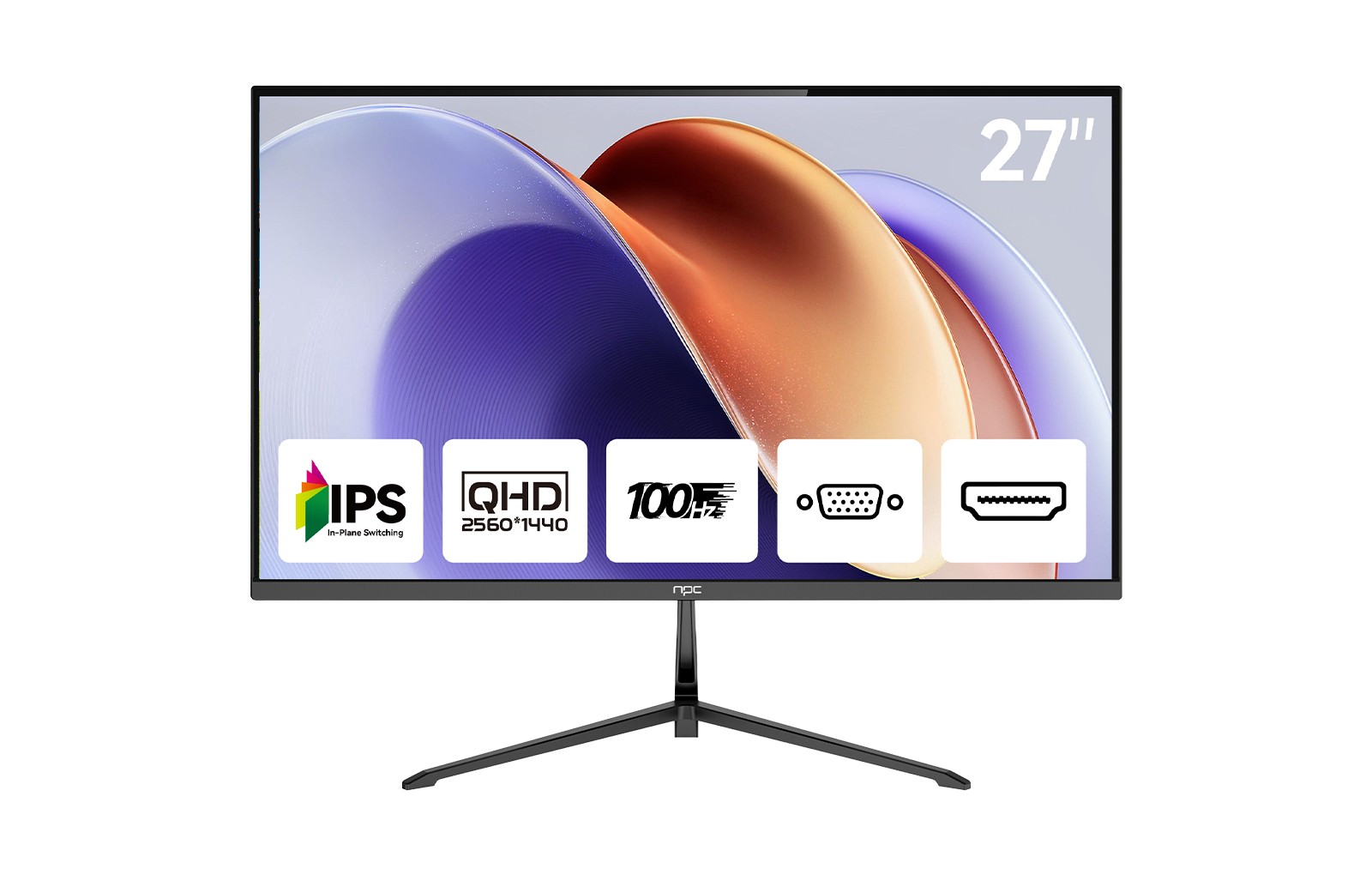
Moreover, the USB-C standard supports high-speed data transfer rates and up to 100 watts of power delivery, making it a powerful option for charging devices. This means that users can power their laptops while using them, minimizing downtime and ensuring they can work continuously without worrying about battery life. For those using a good office monitor, such as the NPC 27-inch monitor, the enhanced resolution and refresh rates combined with USB-C functionality deliver high-quality audio and video that supports effective work.
Streamlining Your Workspace with USB-C
To fully utilize the benefits of the USB-C one-cable solution, it’s essential to integrate it effectively into your workspace. When selecting a monitor, look for features such as USB-C connectivity, which will allow for easy plug-and-play operation with your laptop. A good office monitor like the NPC MQ2756-V exemplifies this with its IPS QHD 2560*1440 resolution and 100Hz refresh rate, delivering a crisp and vibrant display that enhances productivity.
When incorporating USB-C, ensure your devices support this connection type. Many modern laptops now come equipped with USB-C ports, making it easier to integrate this solution into your setup. Additionally, consider investing in adapters or docks that enhance USB-C functionality, allowing you to connect additional devices without overcrowding your workspace.
Create a Cohesive Office Environment with NPC
Incorporating the USB-C one-cable solution into your desk setup offers significant advantages for maintaining organization and enhancing productivity. By selecting a good office monitor like the NPC MQ2756-V, you complement the simplicity of USB-C with a high-quality display experience. Its eye-care function and ergonomic design further contribute to a comfortable work environment.
Embrace the benefits of the USB-C one-cable solution and transform your workspace into a streamlined, efficient hub. Discover how NPC’s modern monitors can elevate your office experience by maximizing functionality while keeping your desk clutter-free.


