

Standard computing setups regularly place bulky hardware enclosures alongside a separate visual screen. That structural separation forces operators to negotiate lost legroom, cluttered surface space, and messy wiring bundles. Workstations built around separate towers require dedicated planning to keep video and power lines organized.
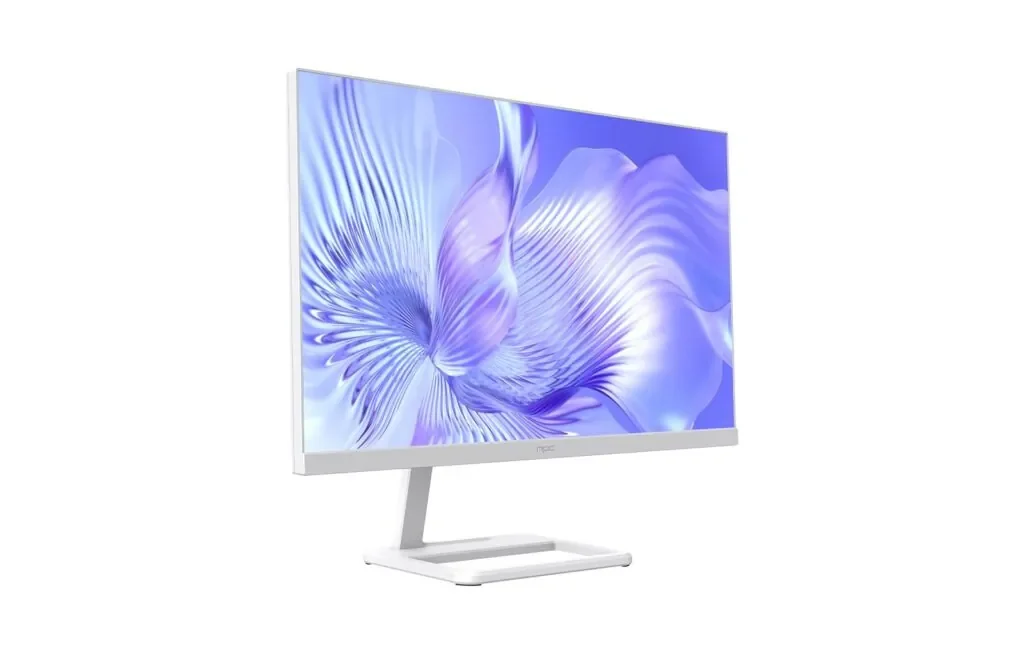
Operating an all-in-one system computer unifies central logic boards, stereo sound, video sensors, and display panels inside a single housing. Comparing integrated units against traditional towers highlights fundamental differences in workstation footprint, cooling design, silicon architecture, and physical adaptability. Identifying these distinctions allows buyers to select appropriate hardware for commercial offices, schools, and homes.
Desk Footprint and Single-Cord Power Delivery
Desktop towers demand dedicated floor or surface area to accommodate their sheet-metal frames. External connection cords bridge the tower to standalone monitors, webcams, and auxiliary speakers. Dust accumulates rapidly around these dense wire nests, complicating routine custodial work and restricting foot space under office desks.
Routing power through a single factory DC adapter plugged into the DCIN interface transforms desk organization. Removing bulky video cords, speaker wires, and auxiliary power supplies leaves desks clear for books, forms, and administrative stationery. Operating with the matching original factory adapter maintains safe electrical delivery across all integrated internal hardware.
Moving equipment between rooms highlights another practical contrast. Relocating a tower requires disconnecting video feeds, audio cables, and peripherals before carrying separate bulky units. Moving an integrated machine requires unplugging one power cord and lifting a single assembly, simplifying office reorganizations or classroom layout adjustments.
Thermal Limits and Processor Divergence
Raw processing throughput divides modular towers from slim enclosures. Full-sized desktop towers house high-power desktop processors equipped with large finned heatsinks, heat pipes, and dual cooling fans.
Under extreme computational strain like 3D asset modeling or video rendering, desktop-class chips run rendering jobs 30% to 50% faster than mobile platforms. However, their high power draw produces heavy heat that requires continuous airflow.
Ultra-thin chassis profiles rely on energy-efficient mobile silicon with thermal design power ratings between 15W and 35W. Processors such as Intel Core i5-12450H and i5-13420H or AMD Ryzen 5 7430U and Ryzen 7 7730U balance daily office responsiveness with modest heat output. Moderate thermal levels keep cooling fans running quietly during spreadsheet work, video calls, and web browsing.
Memory boards accommodate 16 GB DDR4 modules running at 3200MHz, with dual SO-DIMM sockets supporting expansion up to 64 GB. Storage layouts utilize fast M.2 2280 solid-state drives in 512GB standard capacities, alongside optional 128 GB, 256 GB, or 1TB drives supporting PCIe 3.0 x4 or SATA protocols. Integrated Intel UHD graphics handle routine display output and multimedia streams cleanly.
Integrated Panels Versus Standalone Monitors
Sourcing distinct display monitors increases administrative overhead and procurement costs for modular desktop setups. Integrated systems arrive with factory-calibrated display panels available in 21.5-inch, 23.8-inch, 24.5-inch, and 27-inch sizes. Compact 21.5-inch panels suit narrow student desks, while standard 23.8-inch screens provide a balanced viewing area for general office administrative duties.
Visual fidelity scales across distinct panel tiers. Mainstream 21.5-inch and 23.8-inch panels utilize 1920 by 1080 Full HD resolution, while larger 27-inch configurations adopt 2560 by 1440 2K Quad HD resolution for detailed visual layouts. Base models run at a 100 Hz refresh rate, while Light Esports models support a 120 Hz high refresh rate to reduce screen tearing and ghosting.
Physical base ergonomics govern viewer comfort across long work shifts. Entry-level setups feature a sturdy Fixed Base, while advanced builds incorporate a Height-Adjustable Base.
This adjustable mechanism provides 10 to 15 centimeters of vertical lift, -5° to 20° tilt adjustment, and screen rotation. Adjusting screen height alleviates neck and waist strain for programmers, designers, and shared family desks.
Internal Communication Tools and Peripheral Layout
External desktop accessories crowd desk territory when setting up traditional towers. Adopting an all-in-one system computer removes the need for separate webcam or speaker purchases by embedding stereo audio speakers and a 3.0MP or 5.0MP camera directly into the display bezel. Users launch remote video conferences and online classes immediately without configuring external accessory drivers.
Rear input arrays retain full peripheral flexibility despite the thin chassis design. Built-in port layouts include two USB 3.0 ports alongside one USB 2.0 port for external accessories.
Auxiliary display outputs like HDMI, VGA, and DisplayPort support multi-monitor setups, while an RJ45 Gigabit Ethernet port delivers stable wired connections that avoid wireless data latency.
System Commissioning and Practical Maintenance
Initial machine setup requires basic physical steps accessible to non-technical users. Operators place the unit on a clean, well-ventilated desk, connect the factory DC power adapter, and engage the power button. On-screen boot prompts guide users through selecting languages, time zones, and keyboard layouts, followed by secure user account registration.
Routine servicing protocols suggest backing up local files to external drives before sending hardware for technical maintenance. Preserving critical data externally protects files during component repairs or system servicing, ensuring smooth operational continuity for commercial and personal users alike.
Hardware Architectural Verdict and Factory Assembly
Resolving the architectural debate between towers and all-in-one hardware depends on specific operational priorities. Full-sized towers serve resource-intensive 3D rendering pipelines requiring heavy desktop power.
Meanwhile, integrated computers provide a clean, quiet, and space-saving computing solution for corporate offices, classrooms, and family study spaces without requiring separate monitors or messy accessory hubs.
Manufacturing operations at NPC deliver integrated personal computers that combine sleek industrial styling with dependable internal components across 21.5-inch to 27-inch form factors. Production testing verifies panel clarity, structural durability, and component stability across every unit.
Purchasing from NPC secures a 2-year warranty covering the complete machine and primary components—including motherboards, processors, memory, displays, and storage drives—under normal operational conditions. Technical assistance operates through the official website portal, telephone service hotlines, and authorized regional service points.
Discuss fleet configurations directly with NPC to examine comprehensive hardware specifications, explore wholesale distribution terms, or obtain an immediate manufacturing quote for your organization.