

Every peripheral added to a corporate workstation creates an extra point of failure, cable snag, and maintenance ticket. Standard office desks quickly turn into cluttered networks of power bricks, display cords, auxiliary microphones, and floor towers that gather dust and restrict leg movement. Clean-desk policies often fail not from employee neglect, but because conventional hardware layouts require too many separate boxes to function.
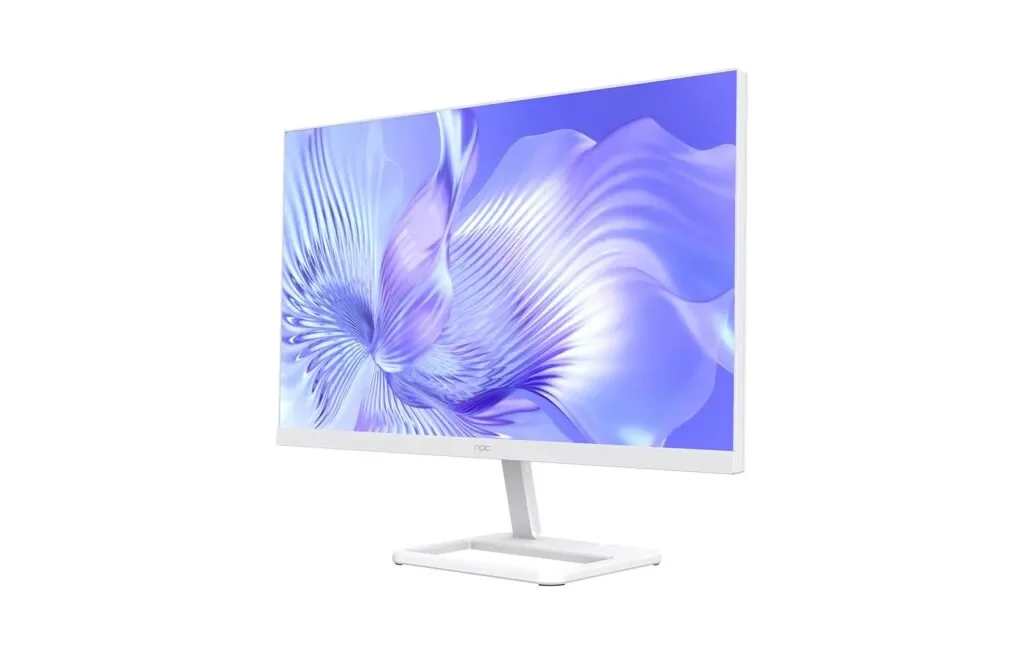
Adopting an all-in-one business PC strips away this administrative and physical clutter by integrating the computing engine directly behind the screen panel. Combining processing silicon, power regulation, cooling, and audio-visual hardware inside a single chassis fundamentally changes how offices utilize floor space. Understanding why this architecture succeeds comes down to examining daily workflow gains, fleet maintenance relief, and long-term hardware reliability.
Decluttering Desktops and Maximizing Usable Work Surface
Usable surface space directly impacts how comfortably staff manage paperwork, reference notes, and multi-tasking demands. Traditional computer setups consume substantial real estate through separate monitor bases and standalone processing towers placed either on desk tops or across floor footwells.
Mounting processing hardware into the display perimeter liberates valuable surface area, giving employees room for physical documents, dual input devices, and proper arm placement.
Single-cable power routing changes the visual and physical environment across open-plan offices and client-facing reception counters. Traditional towers demand five to eight distinct cords for video, audio, external power adapters, and display linkages.
An integrated workstation requires only a single wall plug to deliver full desktop computing, immediately cleaning up sightlines and preventing tangled cords behind modular office furniture.
Flexible work stations and shared hot-desking zones benefit directly from this streamlined footprint. Facilities teams can relocate desks, clean surfaces, or reconfigure entire departments without wrestling with cable trays or disconnecting auxiliary boxes. Preserving desk volume creates an orderly atmosphere where staff focus on daily output rather than navigating awkward hardware entanglements.
Reducing Fleet Administration and Deployment Overhead
Managing diverse computer inventories creates significant operational overhead for corporate support technicians. Procuring separate towers, displays, and peripheral accessories from multiple vendors leads to fragmented warranty terms, mismatched replacement parts, and unpredictable software compatibility issues.
Standardizing enterprise fleets around self-contained desktop units consolidates asset tracking into a unified serial number per desk, cutting administrative workload across regional branches.
Station rollout speeds improve substantially during corporate relocations or departmental expansions. IT personnel unpack one self-contained unit, position it on the desk, connect a single power feed, and initiate automated network provisioning.
Skipping separate display cabling, external audio setup, and peripheral sorting cuts initial staging time down to minutes per seat, letting teams reach operational status faster.
Physical security also improves in public-facing and collaborative office settings. Housing memory modules, internal storage, and communication interfaces behind unified chassis panels restricts unauthorized physical access.
Routine support calls decline sharply because users cannot accidentally dislodge display cables, kick floor-mounted power switches, or pull out external speaker connections during the workday.
Native Audiovisual Hardware for Everyday Collaboration
Virtual meetings, remote consultations, and collaborative webinars now define everyday corporate communications. Equipping traditional desktop towers for video calls requires purchasing clip-on webcams, desk microphones, and external speakers, creating procurement complexity and desk clutter. Standalone accessories often suffer from loose USB connections, driver mismatches, and messy wire runs across keyboards.
Integrated display enclosures replace external meeting gear by building communication tools directly into top bezels. Factory-embedded high-definition cameras capture clean video feeds without occupying monitor edges or dropping loose.
Built-in physical privacy shutters give staff absolute confidence during confidential internal discussions, satisfying data protection standards without tape or third-party covers.
Acoustic performance benefits from built-in beamforming microphone arrays and internal stereo speakers. Factory tuning optimizes microphone pickups to isolate spoken voices while suppressing background keyboard typing and nearby office chatter. Staff communicate clearly during virtual client sessions without searching for dedicated headsets or adjusting external amplifier dials.
Power Distribution and Acoustic Comfort in Shared Spaces
Ambient office noise degrades concentration across shared cubicles and open collaboration areas. Traditional full-size desktop towers rely on multiple case fans and high-RPM power supply blowers that emit steady mechanical whines during data-heavy spreadsheets or multitasking.
Compact internal architectures utilize optimized blower assemblies and efficient heat pipes that exhaust heat quietly, keeping ambient noise below typical library thresholds.
Electrical efficiency offers another tangible operational advantage across large company deployments. Powering a separate high-wattage tower and standalone screen introduces conversion losses across two independent power supplies.
Merging power distribution into a single efficient internal converter cuts overall electrical draw, generating measurable utility savings across hundreds of active workstations.
Reduced electrical draw generates less radiant heat around employee legs and seating areas. Lower thermal output lightens the seasonal cooling burden on central facility HVAC systems while protecting internal components from thermal stress. Circuit components and solid-state drives enjoy steady operating conditions, extending functional hardware lifespan across multi-year accounting cycles.
Operational Longevity and Direct Factory Sourcing
An all-in-one business PC is a practical investment in a well-organised workplace, streamlined IT administration, and dependable daily communication. Streamlining device deployment, reducing power consumption, and organising peripheral webs enables expanding firms to keep workstations busy while managing operational overhead.
At NPC, we believe on creating long-lasting business workstations that address common workplace problems head-on. By designing and manufacturing our own mainboards and display panels, NPC is able to include thin, dependable chassis designs with clear IPS displays, snappy CPUs, and tool-free maintenance access.
Get in touch with NPC’s commercial hardware experts to go over specific configurations, assess wholesale pricing, and order bespoke demonstration units tailored to your business’s operations.