








Nothing breaks the immersion of a great movie, game, or sporting event faster than a sound delay—that frustrating moment when the dialogue or action is noticeably out of sync with the audio. This common issue, often referred to as audio-visual (A/V) synchronization lag or lip-sync error, can turn an enjoyable viewing experience into a distraction.
Understanding why sound delay happens and knowing the proper steps to fix it are essential for any home entertainment enthusiast. This guide provides an authoritative, technical walkthrough of the causes and solutions, ensuring your audio and visuals align perfectly every time.
Understanding the Cause: Why is Your Sound Delayed?
A/V sync issues primarily occur because modern televisions and sound systems handle video and audio signals at different processing speeds. Video signals, especially those in 4K Ultra HD resolution (3840x2160), require significantly more processing power than their audio counterparts.
The primary culprits are:
l Video Processing Latency: High-end TVs use sophisticated digital signal processing (DSP) to enhance picture quality. Features like noise reduction, motion smoothing, and local dimming take time. This time—known as latency—causes the video to arrive at the screen later than the audio signal, which is processed much faster by a soundbar or receiver.
l External Audio Devices: When you connect external audio equipment, such as a receiver, soundbar, or home theater system, you introduce a separate processing path. The audio must travel through an extra cable (HDMI ARC/eARC, Optical, or Bluetooth), get decoded by the external device, and then outputted, creating a potential delay.
l Connection and Cable Issues: Using certain types of connections, or low-quality cables, can add minor delays. While Bluetooth provides convenience, it can inherently introduce latency (though modern versions are much improved). HDMI connections, particularly those using Audio Return Channel (ARC) or Enhanced Audio Return Channel (eARC), are typically the fastest but must be correctly configured.
Step-by-Step Solutions to Eliminate A/V Lag
Fixing sound delay is often a matter of finding the right setting on your specific device. Start with the simplest fixes and move to more advanced calibration.
Enable Game Mode or PC Mode
If your television features a Game Mode or PC Mode, activate it immediately. These modes bypass many of the intensive image processing algorithms (like motion smoothing) that cause video latency. By turning off unnecessary filters, the video signal is displayed with minimal delay, allowing the image and audio to match up more closely.
Utilize the TV’s Audio-Visual Sync Setting
Most smart TVs and many sound systems include a dedicated feature to manually adjust the A/V synchronization. This setting allows you to artificially delay the audio signal (measured in milliseconds, or ms) to match the slower video signal.
l Location: Look for settings labeled A/V Sync, Lip Sync, Audio Delay, or Audio Offset in your TV’s Sound/Audio menu or your soundbar/receiver settings.
l Method: Start by adjusting the delay by 20ms. If the lag persists, continue increasing the delay in 10ms increments until the audio matches the video. Typically, a delay of 50ms to 100ms is sufficient for most setups.
Check HDMI and Audio Output Settings
If you are using an external sound system, ensure your TV is configured to send the least-processed audio signal possible.
l ARC/eARC Configuration: If your equipment supports it, use an HDMI port marked ARC or eARC. This connection ensures higher bandwidth and better synchronization control.
l Digital Audio Format: Set your TV's digital audio output format (usually found under 'Sound' or 'System') to PCM (Pulse-Code Modulation) or Pass-Through. PCM is often the fastest, as it requires no decoding by the external device, reducing the chance of processor-caused delay.
Keep Firmware Updated
For persistent issues, ensure both your TV and your external sound equipment (receiver, soundbar) have the latest firmware installed. Manufacturers frequently release updates to fix known latency bugs and improve A/V synchronization performance, especially in new smart systems.
The Visual Edge: Performance of an NPC 100 Inch Smart TV for Sale
The type of display technology you use plays a significant role in minimizing latency. High-quality smart TVs are engineered to minimize the inherent lag that causes sound delay, particularly in large format displays that use advanced picture processing.
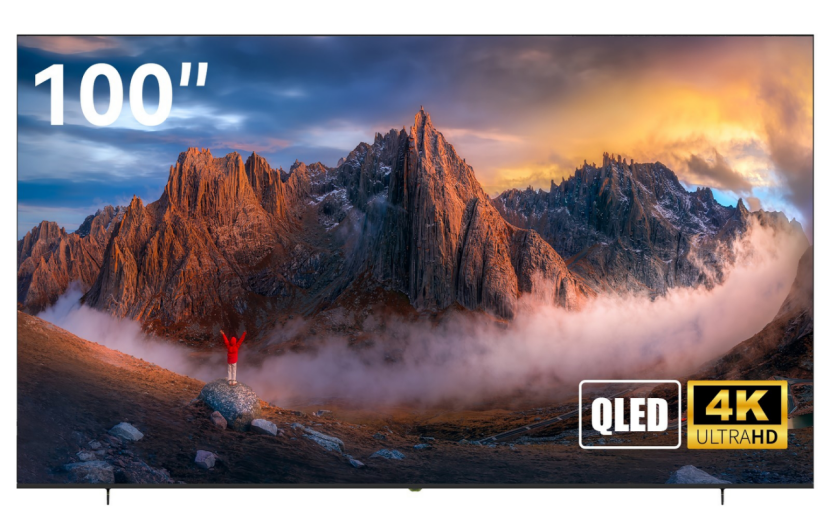
For instance, the NPC-100V9G QLED Smart TV is a powerful example of how large-screen technology can maintain high-speed performance. This 100-inch Smart TV for sale runs on the powerful Samsung Tizen OS and features a stunning 4K Ultra HD QLED panel (3840x2160 resolution), designed to provide an expansive, cinema-quality experience.
Its specifications are tailored for both cinematic immersion and low-latency gaming:
l QLED Display Technology: Ensures superior image quality, deep colors, and a high Contrast Ratio of 3000:1.
l High Refresh Rate: The panel features a 120Hz refresh rate, critical for smooth motion and minimizing input lag, especially when utilizing the integrated Samsung Gaming Hub for console-free gaming.
l Connectivity and Sound: It supports low-latency audio transmission via HDMI ARC and includes a dedicated SPDIF Optical output. The internal audio is handled by 2 x 10W BOX speakers and supports DOLBY Digital PLUS output.
l Processing Power: The robust ARM CA53 Quad-core CPU reduces overall system latency, lessening the need for manual A/V sync adjustments.
By prioritizing a TV with robust processing and dedicated low-latency modes, like those offered by NPC, users can drastically reduce the need for manual synchronization fixes, ensuring that the 100-inch visual spectacle is perfectly matched by its sound.
NPC: Innovation in High-Definition Display Technology
The ability to deliver sophisticated large-format displays while maintaining minimal A/V synchronization issues is a hallmark of engineering excellence.
NPC (Guangzhou Xianyou Intelligent Technology Co., Ltd), established in 2005, is a renowned technology manufacturing company specializing in the research, production, and global sales of high-definition display products and personal computer products.
As a leading global supplier, NPC’s mission is to provide high-quality and affordable video display and IT computer products for the global market. Its diverse product portfolio, which includes Smart TVs (running various OS platforms like Tizen OS, webOS Hub, and Whale TV), high-performance Monitors, All-in-one PCs, and Laptops, demonstrates a commitment to technological innovation across the entire display and computing landscape. By maintaining cooperative relationships with leading global enterprises and focusing on advanced manufacturing, NPC ensures its partners and end-users receive products built with precision, high performance, and exceptional value.


