

Setting up a home workstation often turns into a confusing exercise of sifting through technical jargon. Retail shelves push gaming-grade graphics cards, extreme cooling units, and workstation processors that casual buyers do not need. Most families primarily browse websites, stream video lessons, balance monthly budgets, and edit documents.
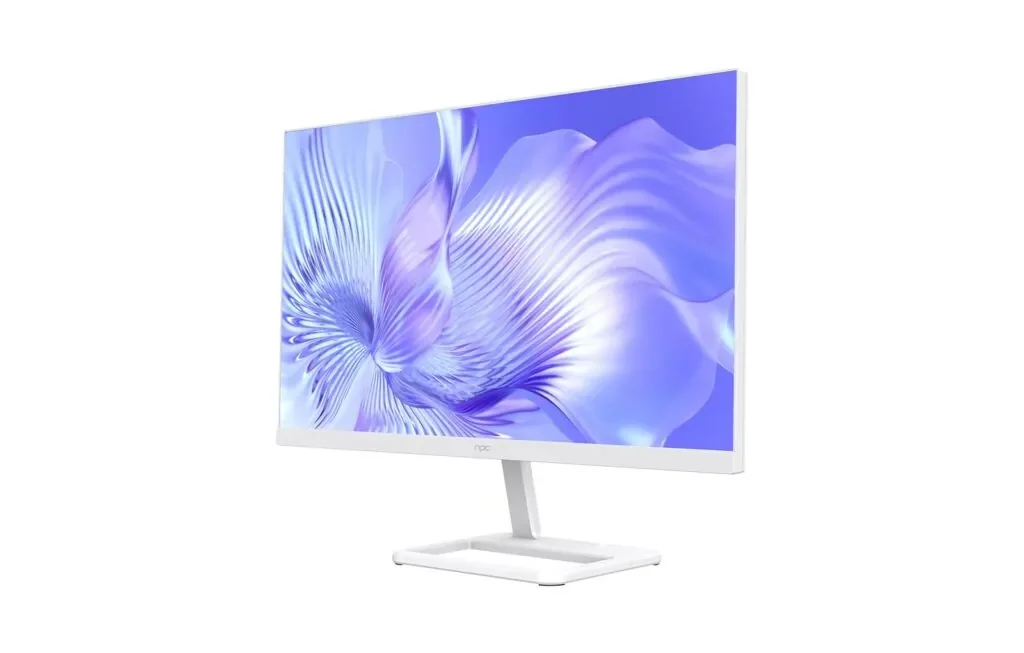
Searching for the best all-in-one computer for home use comes down to balancing utility against unnecessary cost. A unified computer eliminates separate towers and tangled cords, fitting neatly onto living room desks or shared study spaces. Pinpointing hardware specifications that support everyday tasks prevents overspending on computing power that goes unused.
Sizing the Household Display: 21.5 to 27 Inches for Family Workspaces
Screen dimensions dictate how comfortably family members interact with the display throughout the day. Compact 21.5-inch screens work neatly on small bedroom desks or kitchen islands where surface area remains limited. They provide clear text rendering for quick email checks and recipe lookups without crowding the furniture.
Workspaces handling multi-window homework assignments or remote office tasks benefit significantly from a 23.8-inch display. This size offers ample visual space to place two documents side by side without requiring excessive desk depth. Larger 27-inch models suit households that regularly stream movies or manage wide spreadsheets, providing an expansive view across the room.
Panel engineering matters just as much as diagonal measurements. Selecting an In-Plane Switching panel delivers wide 178-degree viewing angles horizontally and vertically, which is helpful when children and parents gather around the screen together. Anti-glare coatings diffuse ambient sunlight and interior lamps, reducing eye fatigue during afternoon study sessions.
Resolution requirements remain modest for typical domestic duties. A standard Full High Definition resolution of 1920×1080 produces sharp typography and crisp media playback across 21.5-inch to 27-inch screens. Choosing standard 1080p avoids overworking system components while delivering clean visuals across educational apps, streaming portals, and family photo collections.
Processing Power and Memory for Seamless Daily Tasks
Everyday software applications require dependable computing power rather than high-wattage gaming silicon. Processors such as the Intel Core i3 handle multi-tab browsing, document typing, and high-definition video playback with ease. They provide smooth responsiveness for elementary school software, bill paying, and daily communication platforms.
Households with older students or remote-working parents often run video conferences while editing shared documents. Stepping up to an Intel Core i5 processor introduces extra cores that comfortably manage heavier multi-application workflows. Advanced configurations equipped with an Intel Core i7 processor suit active users who handle home video compilation or dense files.
System memory directly influences how fluidly the computer transitions between open applications. An 8 GB DDR4 configuration represents a dependable baseline, allowing family members to switch between homework tabs and streaming music without slowdowns. Expanding memory to 16 GB provides additional headroom for photo sorting tools or multitasking across active browser tabs.
Storage Responsiveness and Clutter-Free Organization
Mechanical hard drives with spinning platters frequently create boot-up delays and sluggish software responses. Solid-state drives provide faster read and write speeds, enabling the system to boot within seconds and open programs promptly. Because solid-state storage contains no moving parts, it operates silently and generates minimal heat within compact enclosures.
Storage capacities between 256 GB and 512 GB accommodate vast libraries of personal documents, school projects, and household photo albums. Pairing an internal solid-state drive with personal cloud storage or external backup drives satisfies family archiving needs while keeping local drive speeds swift.
Eliminating desktop wire tangles remains a primary advantage of all-in-one computer architecture. Housing the motherboard, processor, storage, and screen within one chassis leaves only a single power cord to plug into the wall. This streamlined footprint keeps home areas neat, prevents dust accumulation, and creates a welcoming study environment.
Integrated Communication: Webcams, Audio, and Essential Ports
Remote tutoring, virtual classroom sessions, and family video calls require integrated communication hardware. Choosing the best all-in-one computer for home use means verifying that the chassis includes a built-in front-facing camera, dual stereo speakers, and an internal microphone. Integrated audio-visual components remove the need for cumbersome external clip-on accessories and loose USB wiring.
Physical connectivity options determine how easily the desktop interfaces with household peripherals. Multiple USB ports accommodate wired or wireless mouse and keyboard receivers, external backup storage, and phone charging cables. An integrated audio jack supports private headphone listening during late-night study hours.
Display versatility adds long-term convenience to household computing setups. Built-in HDMI output ports allow users to connect a secondary monitor or mirror video content onto a television for family viewing. Adjustable tilt stands let adults and children adapt screen angles to seating heights, supporting natural posture during extended typing sessions.
Reliable Manufacturing Standards for Long-Term Home Reliability
Building durable consumer and commercial display hardware has anchored our operations at NPC since 2005. Working under Guangzhou Xianyou Electronics Group, our manufacturing facilities produce reliable computing solutions for distribution across more than 70 international markets. Our production lines combine rigorous optical screening, component temperature evaluations, and thorough physical stress testing to support long-term product lifespans.
Product lineups from NPC span 21.5-inch, 23.8-inch, and 27-inch form factors built with bright IPS panels, responsive Intel Core processing, and flexible memory configurations. We back our complete machine assemblies with a 3-year warranty under normal operating conditions, giving distributors and household users confidence in our hardware integrity.
Families deserve capable, tidy computing setups that simplify daily learning and administrative tasks without inflating household budgets. Discover how NPC all-in-one computers deliver practical screen clarity, dependable processing, and clean desktop ergonomics by contacting our regional sales team for detailed specifications and ordering information today.