







At NPC, we pride ourselves on being at the forefront of technological innovation in high-definition display products and PC solutions. As a trusted name in the industry, we understand that our partners require not just cutting-edge products but also practical insights on how to fully utilize them. In this article, we'll share essential calibration tips for achieving optimal performance with your curved ultra-wide gaming monitor, ensuring that you can provide an unparalleled gaming experience to your clientele.
Understanding the Importance of Calibration
When it comes to maximizing the potential of a curved ultra-wide gaming monitor, calibration is key. A well-calibrated monitor enhances color accuracy, contrast, and overall visual fidelity, which are crucial in creating immersive gaming experiences. First, we recommend beginning with the basic settings. Adjusting the brightness and contrast can make a significant difference, especially since curved screens can sometimes cast uneven light across the display. By fine-tuning these parameters, we can ensure a consistent viewing experience regardless of the angle.
Next, we advocate for utilizing built-in calibration tools often found in high-quality curved ultra-wide gaming monitors. These tools are designed to guide users through the calibration process with step-by-step instructions. Ensuring the monitor's color temperature is set to a neutral value will not only improve image quality but also reduce eye strain during those long gaming sessions.
Optimizing Viewing Angles and Ergonomics
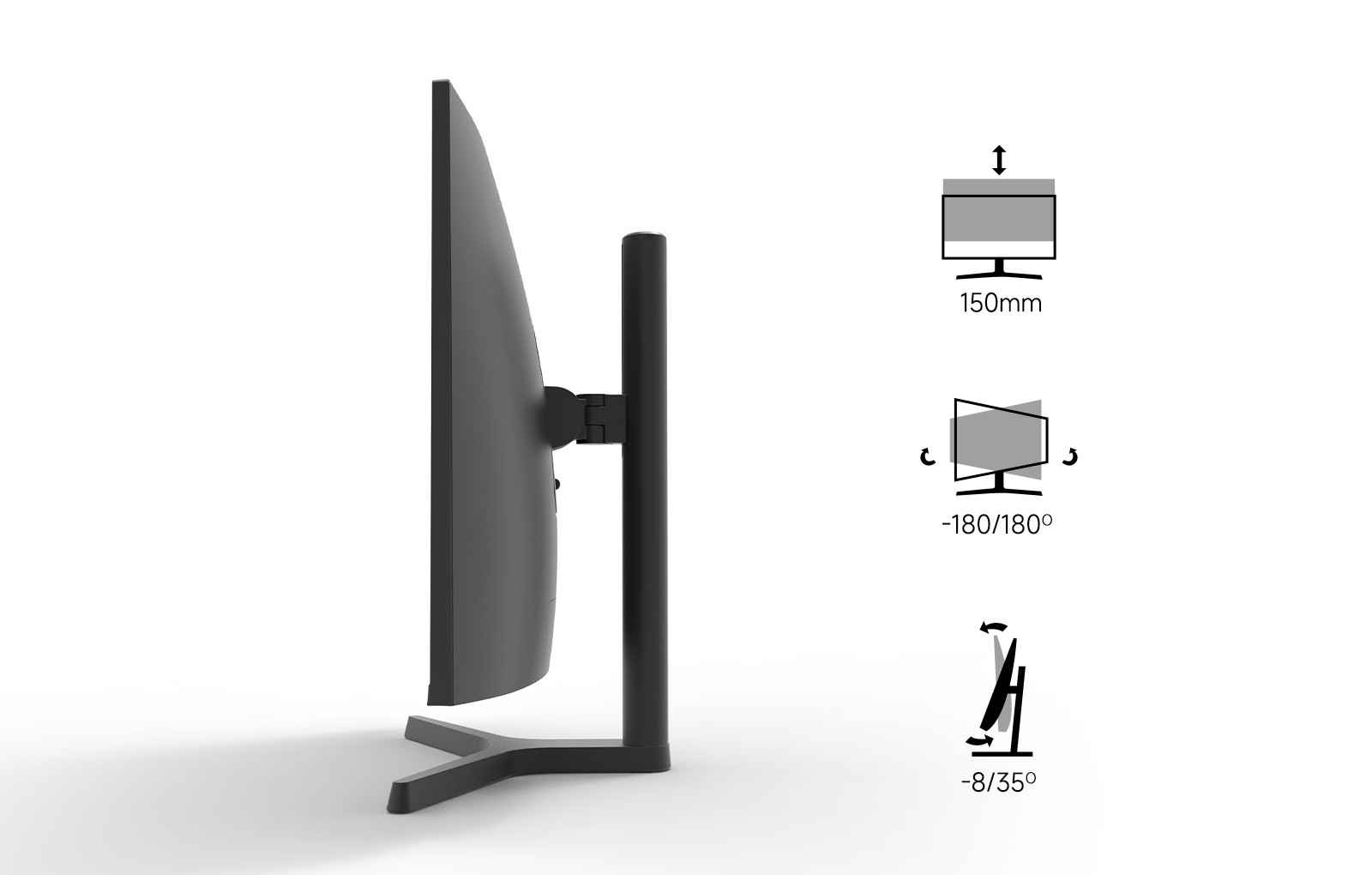
Another crucial aspect of calibrating a curved ultra-wide gaming monitor is optimizing the viewing angles. The beauty of these monitors lies in their design, which provides an immersive viewing experience; however, improper positioning can hinder performance. Therefore, we recommend an adjustable stand, such as the one offered with the NPC-LCD340G-Y model, which allows for lift, tilt, and swivel adjustments.
By adjusting the monitor's height and angle to fit individual comfort levels, we can effectively relieve neck fatigue and enhance the overall user experience. This ergonomic approach not only benefits gamers but can also improve productivity for professionals using the monitor for design, video editing, or other tasks requiring precision.
Regular Maintenance for Peak Performance
Once we've calibrated our curved ultra-wide gaming monitor, maintaining that optimal performance is crucial. We suggest developing a regular maintenance schedule that includes checking for software updates and ensuring that the display settings remain aligned with our initial calibration. Dusting the screen and surrounding area to prevent build-up can also contribute to longer-lasting performance.
In summary, to achieve the most from our curved ultra-wide gaming monitor NPC-LCD340G-Y, we must prioritize calibration, optimize ergonomic settings, and adhere to a maintenance routine. Implementing these tips will not only enhance our visual experience but also promote healthier viewing habits. At NPC, we are dedicated to delivering top-of-the-line technology, including our innovative curved ultra-wide gaming monitors. By following these calibration tips, we can unlock the full potential of our displays and provide an exceptional experience for our users.


