







Our extensive range includes all-in-one computers, monitors, TVs, and projectors, with a focus on delivering high-quality products that enhance the gaming experience. In this article, we will explore how to customize RGB settings for gaming VA monitors, ensuring an immersive experience for your customers and clients.
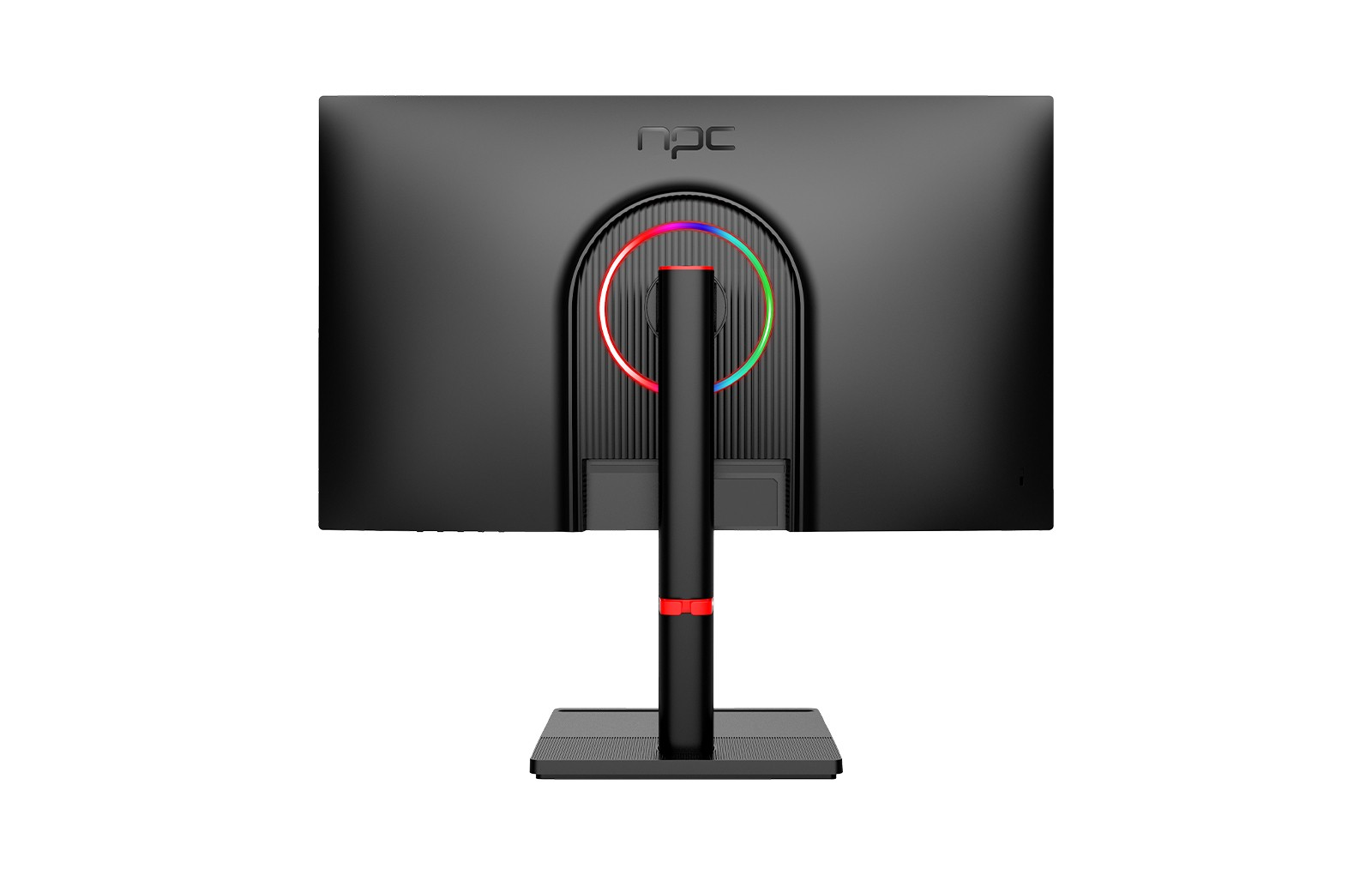
Understanding RGB Lighting in Gaming VA Monitors
RGB lighting has become a dominant feature in the gaming industry, allowing users to personalize their setups and create engaging atmospheres. Gaming VA monitors offer vibrant colors and deep contrasts, making them ideal for showcasing customizable RGB settings. By adjusting RGB settings, users can match their monitors to in-game environments or synchronize them with other RGB components. As traders and wholesalers, understanding how to guide clients in customizing these settings can significantly impact customer satisfaction and enhance their overall gaming experience.
Steps to Configure RGB Settings
Customizing RGB settings on gaming VA monitors is a straightforward process that can yield impressive results. First, it is essential to access the monitor's on-screen display (OSD) menu, typically activated via buttons located on the monitor. Once in the OSD menu, navigate to the RGB settings section. Here, users can choose from various preset lighting options or create custom profiles.
Encourage your clients to experiment with different color combinations and effects, such as static, breathing, or cycling patterns, to find what resonates best with their gaming style. Additionally, remind them to consider ambient lighting in their gaming environment; achieving balance between the monitor’s RGB settings and the room’s lighting can enhance immersion. By helping your customers understand these steps, you position yourself as a knowledgeable partner in the gaming space.
Syncing RGB with Other Devices
Another powerful way to elevate the gaming experience is by syncing RGB settings across multiple devices. Many gaming VA monitors support software that allows users to control RGB lighting alongside graphic cards, motherboards, and external peripherals. This synchronization creates a cohesive aesthetic and can dynamically respond to in-game actions, providing an entirely immersive experience.
As NPC aims to provide comprehensive solutions, we encourage our wholesalers and traders to leverage this technology when recommending gaming VA monitors to their clients. Ensuring that customers are aware of compatibility with popular RGB control software can lead to increased sales and customer loyalty.
Conclusion
By understanding the importance of RGB lighting and guiding customers through the configuration process, NPC partners can enhance client satisfaction and drive sales. Our commitment at NPC to providing exceptional gaming VA monitors means that businesses can confidently offer products that meet the demands of today’s gamers.


